
In today’s digital world, data is the lifeblood of every organization. From customer information to financial records, data is crucial for day-to-day operations and long-term success. However, data loss can occur unexpectedly, wreaking havoc on businesses of all sizes. That’s where on-premise backup software comes into play, serving as your safety net to protect your valuable data.
On-premise backup software involves storing your data at a physical location, such as an in-house storage server or external hard disk. This method offers offline accessibility, cost-effectiveness, and enhanced security for your backups. Even in the event of an internet outage or server failure, you can still access and restore your data with ease.
But just like any solution, on-premise backup software has its pros and cons. While it provides excellent security behind your organization’s network firewall, it requires a high initial investment and ongoing maintenance costs. Additionally, on-premise backups can be vulnerable to physical damage and theft, and they require diligent management responsibilities.
Key Takeaways:
- On-premise backup software offers offline accessibility, cost-effectiveness, and enhanced security for your data backups.
- It allows you to restore your data even in the absence of an internet connection or server failure.
- On-premise backups require a high initial investment, ongoing maintenance costs, and diligent management responsibilities.
- Physical damage and theft can pose a threat to on-premise backups.
Types of On-Premises Backup Solutions
When it comes to on-premises backup solutions, organizations have several options to choose from based on their needs and requirements. Let’s explore three popular types: enterprise backup, managed backup, and colocation backup.
1. Enterprise Backup
Enterprise backup involves building internal data centers on corporate campuses. This comprehensive solution provides organizations with complete control over their backup infrastructure, ensuring data security and compliance. However, it may not be suitable for smaller organizations due to the high cost of setting up and maintaining the backup environment.
2. Managed Backup
Managed backup centers are owned and operated by specialized service providers. These centers offer leased equipment and infrastructure, allowing organizations to benefit from professional expertise without the need for extensive in-house resources. Managed backup is an ideal choice for organizations that prioritize cost-effective backup solutions with minimal management responsibilities.
3. Colocation Backup
Colocation backup centers provide server space rented by third parties, with the organization managing its own hardware. This option allows organizations to house their backup infrastructure in secure, off-site facilities while maintaining control over their equipment. Colocation backup is suitable for organizations seeking a balance between cost efficiency and flexibility.

Each type of on-premises backup solution has its advantages and considerations. The choice depends on factors such as budget, security requirements, scalability needs, and management preferences.
| Backup Solution | Advantages | Considerations |
|---|---|---|
| Enterprise Backup | Complete control over backup infrastructure High security and compliance Customizable to specific needs |
High initial investment Ongoing maintenance costs May not be suitable for smaller organizations |
| Managed Backup | Cost-effective solution Access to professional expertise Reduced management responsibilities |
Reliance on service provider Limited control over infrastructure Dependency on external support |
| Colocation Backup | Off-site storage with control over hardware Flexible and scalable Enhanced security |
Shared environment Additional costs for hardware management Dependency on colocation provider |
By considering the benefits and considerations of each on-premises backup solution, organizations can make an informed decision that aligns with their specific backup strategy and business goals.
Advantages of On-Premises Backups
On-premise backups offer several advantages that make them a compelling choice for organizations. Let’s explore these benefits:
1. Offline Accessibility: One of the key advantages of on-premises backups is their offline accessibility. Unlike cloud-based solutions that rely on an internet connection, on-premises backups can be accessed even without an internet connection. This ensures that your data is always available, regardless of network availability.
2. Cost-Effective: On-premises backups are a cost-effective solution for data protection. With no monthly or annual subscription fees, organizations can save on recurring costs associated with cloud-based backups. Additionally, once the initial investment is made, the ongoing maintenance costs are generally lower compared to cloud solutions.
3. Enhanced Security: Data security is crucial for every organization. On-premises backups offer enhanced security by keeping your data behind the organization’s network firewall. This reduces the risk of unauthorized access and ensures that your data remains protected within your own infrastructure.
“On-premises backups provide offline accessibility, cost-effectiveness, and enhanced security, making them an attractive choice for organizations.”

By leveraging on-premises backups, organizations can enjoy the advantages of offline accessibility, cost-effectiveness, and enhanced security for their data. However, it’s important to consider other aspects such as the initial investment, ongoing costs, and management responsibilities before making a final decision.

| Advantages of On-Premises Backups |
|---|
| Offline Accessibility |
| Cost-Effective |
| Enhanced Security |
Disadvantages of On-Premises Backups
While on-premise backups offer certain advantages, there are several drawbacks that organizations need to consider:
- High Initial Investment: Implementing on-premise backup infrastructure requires a significant upfront financial commitment. Companies need to purchase and maintain the necessary hardware, such as storage servers and backup systems.
- Ongoing Costs: In addition to the initial investment, there are ongoing expenses associated with on-premise backups. Organizations need to allocate budget for maintenance, repairs, and upgrading of hardware and software components.
- Increased Vulnerability: On-premise backups are more susceptible to physical damage or theft. If disaster strikes, such as a fire or flooding, the backup data stored on-site may be compromised or lost altogether.
- Management Responsibilities: Managing on-premise backups requires expertise and dedicated resources. IT teams are responsible for monitoring, maintaining, and troubleshooting the backup infrastructure, which can be time-consuming and divert resources from other critical tasks.
- Fixed Storage Space: On-premise backups rely on a fixed amount of storage space. This can lead to either inadequate capacity, risking data loss, or excessive capacity, resulting in wasted resources and unnecessary costs.
- Process Snags: On-premise backup processes may encounter technical snags or interruptions, which can hinder data protection and recovery efforts. These snags may include hardware failure, software glitches, or human errors that disrupt the smooth execution of backup operations.
“On-premise backups require a high initial investment, ongoing maintenance costs, increased vulnerability to physical damage or theft, management responsibilities, fixed storage space limitations, and process snags.”
The disadvantages of on-premise backups highlight the need for organizations to carefully evaluate their backup requirements and weigh the associated costs and risks against the benefits of this approach.

What is Cloud Backup?
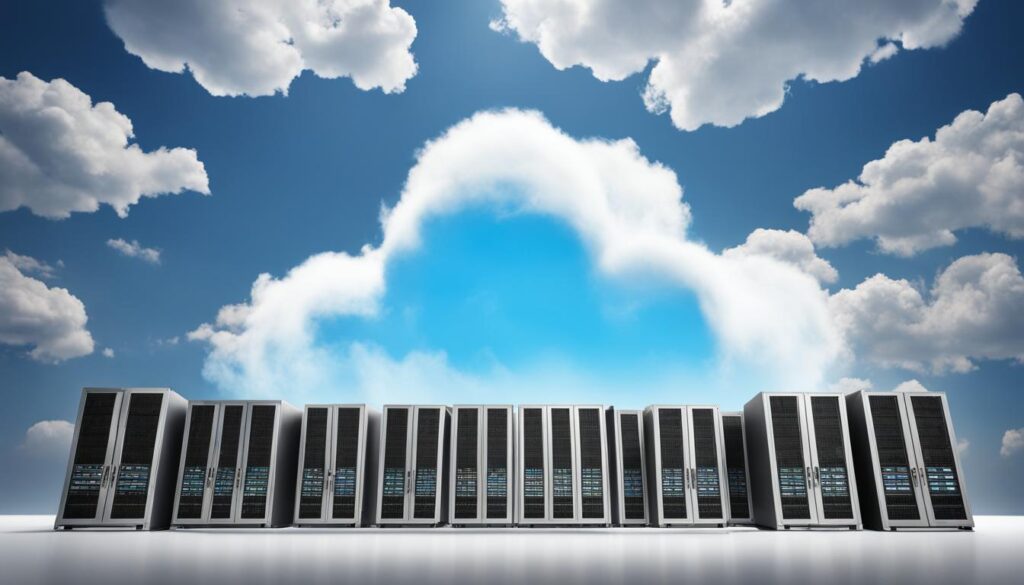
Cloud backup solutions have revolutionized the way organizations protect and manage their data. With cloud backup, data is stored in a digital, off-site location managed by trusted cloud service providers. This offers a range of benefits, including storage flexibility and diverse backup methods to ensure the safety and accessibility of critical data.
Cloud backup solutions provide the convenience of storing data in a remote location, eliminating the need for on-premises infrastructure. This allows organizations to save physical storage space and reduce costs associated with maintaining hardware and facilities.

Storage flexibility is a key advantage of cloud backup solutions. Organizations can choose between backing up their data to a public or private cloud, depending on their specific needs and preferences. Public cloud storage offers scalability and cost-effectiveness, while private cloud storage provides enhanced security and data control.
“Cloud backup solutions offer storage flexibility and diverse backup methods to ensure the safety and accessibility of critical data.”
Backup methods with cloud solutions are versatile and adaptable to different scenarios. Managed cloud backup is a popular option for organizations that prefer to outsource their backup operations. With managed cloud backup, the service provider takes care of the backup process, ensuring data is securely stored and easily recoverable.
Cloud-to-cloud backup is another method that focuses on safeguarding data stored in cloud applications and platforms. By replicating data from one cloud environment to another, organizations can protect their SaaS applications, such as customer relationship management (CRM) systems or email platforms, from data loss or corruption.
For organizations that prefer a hybrid approach, combining on-premises and cloud backups offers the best of both worlds. Hybrid backup allows organizations to take advantage of the cost-effectiveness and accessibility of cloud backup while maintaining control over their most critical data through on-premises backups.
Cloud backup solutions have become an essential part of modern data protection strategies. By leveraging the power of cloud computing, organizations can ensure the safety, availability, and integrity of their data without the limitations of traditional backup methods.
Advantages of Cloud Backups
When it comes to data backup solutions, cloud backups offer a range of advantages that organizations can benefit from. From affordability to enhanced security, here are the key advantages of opting for cloud backups:
Affordable

Cloud backups eliminate the need for upfront infrastructure costs, making them a cost-effective choice for organizations. Without the expense of purchasing and managing physical hardware, cloud backups provide an affordable solution for businesses of all sizes.
Simplified Infrastructure
By leveraging cloud backups, IT teams can simplify infrastructure management. With no need to maintain on-premises storage servers, organizations can offload the responsibility of infrastructure maintenance to cloud service providers. This allows IT departments to focus on other critical tasks, improving overall efficiency.
Scalable
Cloud backups offer scalability based on the data needs of an organization. Businesses can easily scale their storage requirements up or down, helping them accommodate data growth and fluctuations in demand. This flexibility ensures that organizations can efficiently manage their data backup needs.
Accessible Data
One of the significant advantages of cloud backups is the accessibility of data from any device and location. With an internet connection, authorized users can access backed-up data in the cloud, ensuring seamless collaboration and productivity, regardless of physical location.
Secure Data
Cloud backups prioritize data security, providing advanced virtual security measures to protect data from unauthorized access and potential threats. With encryption, multi-factor authentication, and robust security protocols in place, organizations can ensure the security of their critical data.
Low Maintenance
Managing backups can be a time-consuming task for IT teams. Cloud backup solutions require minimal maintenance, as service providers handle tasks such as software updates, hardware maintenance, and data replication. This allows organizations to focus their resources on core operations while enjoying the benefits of secure and reliable backups.
Overall, cloud backups deliver a range of advantages, including affordability, simplified infrastructure management, scalability, accessibility, secure data, and low maintenance requirements. These benefits make cloud backups an attractive choice for businesses looking to secure their data and streamline their backup processes.


Cloud Backup Use Cases
Cloud backup solutions offer a wide range of use cases, making them a versatile option for organizations seeking data protection and storage. Whether it’s ensuring disaster recovery, backing up edge computing resources, safeguarding cloud and SaaS applications, or storing data for long-term archival and data retention, cloud backups provide reliable and scalable solutions.
Disaster Recovery
Cloud backups are ideal for disaster recovery scenarios. By replicating data to off-site locations, organizations can quickly restore their operations in the event of a disaster. With the ability to access data from anywhere, cloud backups ensure continuity and minimize downtime.
Backup of Edge Computing Resources
In the age of remote work and distributed teams, edge computing resources like remote offices and laptops play a vital role in organizational workflows. Cloud backups allow organizations to securely backup and recover data from these resources, providing peace of mind and data protection.
Backup of Cloud and SaaS Applications
As more organizations rely on cloud-based services and software-as-a-service (SaaS) applications, ensuring their backup becomes crucial. Cloud backups offer automated and streamlined solutions, allowing organizations to protect their critical cloud and SaaS data and quickly restore it whenever needed.
Long-term Archival and Data Retention
Cloud backup services also cater to the long-term archival and data retention needs of organizations. With cold storage services, organizations can securely store and retain large volumes of data for extended periods. This ensures compliance with legal and regulatory requirements while providing accessibility when required.
With these diverse use cases, cloud backup solutions demonstrate their versatility and value as a modern data protection strategy. By leveraging the power of the cloud, organizations can effectively mitigate risks, ensure business continuity, and maintain data integrity.


| Use Case | Description |
|---|---|
| Disaster Recovery | Replicating data to off-site locations for quick recovery in the event of a disaster. |
| Backup of Edge Computing Resources | Backing up data from remote offices and laptops to ensure data protection and security. |
| Backup of Cloud and SaaS Applications | Securing and recovering critical data from cloud and SaaS applications. |
| Long-term Archival and Data Retention | Storing and retaining large volumes of data for extended periods. |
Cloud Backup Options
When it comes to cloud backup, organizations have various options to choose from. These options cater to different needs, preferences, and technical requirements. Let’s explore some of the most popular cloud backup solutions available:
1. Cloud Backup Services
Cloud backup services provided by vendors and service providers offer a convenient and hassle-free solution for backing up data. With these services, organizations can securely store their data on remote servers maintained by the service provider. Examples of popular cloud backup services include Acronis True Image, Carbonite, and Backblaze.
2. Cloud Backup Appliances
Cloud backup appliances are physical devices connected to the organization’s network that provide backup capabilities. These appliances act as a gateway between the local infrastructure and the cloud, allowing seamless data transfer and storage. One notable example is the Barracuda Backup Appliance.
3. Hybrid Backup Solutions
Hybrid backup solutions combine the best of both worlds by integrating on-premises backups with cloud backups. This approach offers the flexibility of local backups for quick restores and the security of off-site cloud backups. It also allows organizations to optimize storage costs and meet specific data retention requirements. Veeam Backup & Replication is a popular hybrid backup solution.
4. Public Cloud Providers
Public cloud providers like Amazon Web Services (AWS), Microsoft Azure, and Google Cloud Platform (GCP) also offer robust cloud backup services. Organizations can leverage the infrastructure and reliability of these providers to store and protect their data. These services often come with additional benefits such as built-in redundancy, high availability, and advanced data management features.
Each of these cloud backup options has its own advantages and considerations. Depending on your specific requirements, you can choose the solution that best fits your organization’s needs and budget.
By leveraging cloud backup services, appliances, hybrid solutions, or public cloud providers, organizations can ensure the safety and availability of their critical data.
On-Premise Backup vs. Cloud Backup: Choosing the Right Solution
When it comes to choosing between on-premise backup and cloud backup, several factors must be considered to ensure the right solution for your organization’s needs. Key considerations include cost efficiency, scalability, ease of use, reliability, and data security. Let’s explore the advantages and considerations of each option:
On-Premise Backup
On-premise backups are a suitable choice for organizations with budget constraints, projected data growth, regulatory compliance requirements, and a need for direct control over their backups. Some advantages of on-premise backups are:
- Cost Efficiency: On-premise backups offer a long-term cost advantage as they eliminate monthly or annual subscription fees associated with cloud backup services.
- Scalability: Organizations can scale their backup infrastructure according to their data growth projections and ensure ample storage capacity without reliance on external providers.
- Ease of Use: With on-premise backups, the organization has direct control, making it easier to manage and monitor backups according to specific requirements.
- Reliability: On-premise backups provide the organization with offline accessibility, reducing the risks associated with internet connectivity issues.
- Data Security: By keeping data within their own network, organizations can implement robust security measures and ensure data privacy.
However, on-premise backups also have some drawbacks. These include:
- High Initial Investment: Implementing on-premise backups requires a significant upfront investment in infrastructure and hardware.
- Ongoing Costs: Organizations must bear the expenses of ongoing maintenance, updates, repairs, and infrastructure upgrades.
- Increased Vulnerability: On-premise backups can be vulnerable to physical damage, theft, or natural disasters, which could result in data loss.
- Management Responsibilities: Managing backup infrastructure and ensuring its smooth operation can be time-consuming and may divert IT resources from other critical tasks.
- Fixed Storage Space: Organizations need to accurately estimate their storage requirements, as on-premise backups have a fixed storage capacity that can lead to inadequate or excessive storage.
- Process Snags: Any issues with the backup process can potentially impact business operations and cause delays or disruptions.
Cloud Backup
Cloud backups, on the other hand, offer a different set of advantages and considerations:
- Cost Efficiency: Cloud backups typically have lower upfront costs as they eliminate the need for significant infrastructure investments.
- Scalability: With cloud backups, organizations can easily scale their storage capacity up or down based on their changing data needs.
- Ease of Use: Cloud backup services often provide user-friendly interfaces and automated backup processes, simplifying the backup management tasks.
- Reliability: Cloud backups offer off-site protection, protecting data from physical damage or loss at the organization’s premises.
- Data Security: Cloud service providers invest heavily in advanced security measures to protect data from breaches, ensuring high-level data security.
However, there are also considerations when choosing cloud backups:
- Offsite Backup: Storing data in the cloud means relying on internet connectivity for backup and restore operations.
- Monthly Subscription Costs: While cloud backups eliminate the upfront infrastructure costs, organizations may incur monthly or annual subscription fees based on storage usage.
- Dependency on Service Providers: Organizations must trust the cloud service provider to adequately protect their data and ensure service availability.
- Compliance and Regulatory Requirements: Organizations with specific compliance requirements need to ensure that the cloud service provider meets those obligations.
| Criteria | On-Premise Backup | Cloud Backup |
|---|---|---|
| Cost Efficiency | ✓ | ✓ |
| Scalability | ✓ | ✓ |
| Ease of Use | ✓ | ✓ |
| Reliability | ✓ | ✓ |
| Data Security | ✓ | ✓ |
| Offsite Backup | ✓ | |
| Monthly Subscription Costs | ✓ | |
| Dependency on Service Providers | ✓ | |
| Compliance and Regulatory Requirements | ✓ |
Consider the table above and weigh the specific requirements of your organization to make an informed decision between on-premise backup and cloud backup solutions.
Remember, it’s essential to assess the cost efficiency, scalability, ease of use, reliability, and data security aspects when making a choice. Organizations with budget constraints, compliance needs, and direct control requirements might find on-premise backups better suited, while those seeking lower upfront costs, off-site protection, and flexible storage options may prefer cloud backups.
Conclusion
In today’s data-driven world, having a robust backup and recovery strategy is crucial for organizations to protect their valuable data. On-premise backup software provides organizations with control, cost-effectiveness, and enhanced security. By storing data on-site, organizations can ensure quick access to backups and have complete control over the backup process. However, this solution requires a high initial investment and ongoing maintenance costs.
On the other hand, cloud backup solutions offer affordability, simplicity, scalability, and accessibility. With off-site data storage, organizations can minimize the risk of data loss due to physical damage or theft. Cloud backup also eliminates the need for extensive maintenance, as the service provider takes care of updates and security measures. This makes it an attractive option for organizations of all sizes.
When choosing a backup solution, it is important for organizations to evaluate their specific needs and priorities. If control and security are paramount, on-premise backup software may be the right choice. Alternatively, cloud backup solutions provide ease of use and off-site protection, making them ideal for businesses looking for an affordable and scalable solution.
In conclusion, both on-premise backup software and cloud backup solutions have their advantages and disadvantages. By carefully considering the factors of cost, control, scalability, and data security, organizations can make an informed decision to ensure the safety and accessibility of their data.
FAQ
What is on-premise backup software?
On-premise backup software involves storing data at a physical location, such as an in-house storage server or external hard disk. This offers offline accessibility, cost-effectiveness, and enhanced security.
What are the types of on-premises backup solutions?
There are different types of on-premises backup solutions, including enterprise backup, managed backup, and colocation backup. Enterprise backup involves building internal data centers on corporate campuses, while managed backup centers are owned and managed by service providers. Colocation backup centers provide server space rented by third parties, with the organization managing its own hardware.
What are the advantages of on-premises backups?
On-premises backups offer offline accessibility without an internet connection, cost-effectiveness with no monthly or annual subscription fees, and enhanced security behind the organization’s network firewall.
What are the disadvantages of on-premises backups?
The disadvantages of on-premises backups include the high initial investment required for infrastructure, ongoing costs for maintenance and repairs, increased vulnerability to physical damage or theft, management responsibilities that can slow down operations, fixed storage space that can lead to inadequate or excessive capacity, and process complications.
What is cloud backup?
Cloud backup solutions store data in a digital, off-site location managed by cloud service providers. These solutions offer storage flexibility and various backup methods, including backing up to a public or private cloud, managed cloud backup, cloud-to-cloud backup, and hybrid backup combining on-premises and cloud backups.
What are the advantages of cloud backups?
Cloud backups are affordable with no upfront infrastructure cost, simplify infrastructure management for IT teams, offer scalability based on data needs, provide accessible data from any device and location, ensure secure data with advanced virtual security measures, and require minimal maintenance.
What are the use cases for cloud backups?
Cloud backups are suitable for disaster recovery, backup of edge computing resources like remote offices and laptops, backup of cloud and SaaS applications, and long-term archival and data retention using cold storage services.
What are the cloud backup options available?
Cloud backup options include cloud backup services offered by vendors and service providers, cloud backup appliances installed on the network, hybrid backup solutions combining on-premises and cloud backups, and cloud backup services provided by public cloud providers like Amazon Web Services and Microsoft Azure.
How do I choose between on-premise backup and cloud backup?
The choice between on-premise backup and cloud backup depends on factors like cost efficiency, scalability, ease of use, reliability, and data security. On-premise backups are suitable for organizations with budget constraints, data growth projections, regulatory compliance requirements, and a need for direct control. Cloud backups offer lower upfront costs, off-site protection, automated backups, flexible storage options, and are ideal for SMBs and those with specific use cases.
What are the factors to consider when choosing a backup solution?
When choosing a backup solution, consider factors such as cost efficiency, scalability, ease of use, reliability, and data security. Assess your organization’s budget, data growth projections, regulatory compliance requirements, and need for direct control to make an informed decision.
