
Storing and backing up photos has become increasingly important as high-quality cameras and smartphones have become more prevalent. Having a reliable photo storage solution ensures the safety and organization of your precious memories. In this article, we will explore the best photo backup methods and the top choices for photo storage options.
When it comes to photo storage, there are various options available, including cloud photo storage, secure online backup services, and photo backup software. It is essential to choose the right solution that meets your needs in terms of storage capacity, security, and ease of use.
Key Takeaways:
- Choose a backup solution that includes multiple storage methods to ensure the safety of your photos.
- Consider using cloud photo storage sites like Flickr, Google Photos, and iCloud for secure and convenient storage and sharing.
- Professional photographers can opt for specialized photo storage solutions like 500px to showcase their work and have unlimited uploads.
- Smartphone users can benefit from Google Photos and its AI-powered features for easy backup and tagging.
- Amazon Prime Photos offers unlimited storage for Prime members, along with additional features like auto-tagging and photo printing services.
The Best Photo Storage and Sharing Sites
When it comes to storing and sharing your precious photos, you want to rely on the best photo storage and sharing sites available. After testing various services, we can confidently recommend three top choices: Flickr, Google Photos, and iCloud. These platforms offer a range of features to meet your photo storage needs, whether you’re looking for unlimited uploads, powerful touch-up tools, or seamless sharing options.
Flickr
Flickr stands out as the best overall photo storage and sharing site. With its clean interface and user-friendly design, it makes organizing and managing your photos a breeze. One of Flickr’s main advantages is its extensive tagging features, allowing you to categorize your photos with ease. Additionally, it offers a wide range of tools for editing and enhancing your images, enabling you to perfect your shots.
Google Photos
If you’re an avid smartphone photographer, Google Photos is the ideal choice for you. This platform provides easy backup options for your smartphone photos and offers unlimited storage for high-quality images. Google Photos also features useful tagging and editing tools, ensuring that your photo collection is organized and visually appealing. Moreover, it seamlessly integrates with other Google services, making it incredibly convenient to access and share your photos.
iCloud
For iPhone owners, iCloud is a fantastic photo storage option. With iCloud’s seamless integration with Apple’s Photos software, you can effortlessly back up and share your photos across all your Apple devices. iCloud offers various subscription options with different storage capacities, allowing you to choose the plan that suits your needs. Additionally, it provides tagging features and simple sharing tools, making it a reliable choice for Apple users.

These best photo storage and sharing sites not only offer a secure and convenient way to store and organize your photos but also provide essential features such as unlimited uploads, touch-up tools, tagging options, and sharing platforms. Whether you’re looking for a comprehensive photo storage solution or a specific platform for short video storage options, these top choices have you covered.
| Photo Storage Site | Unlimited Uploads | Touch-up Tools | Tagging Features | Sharing Platform | Short Video Storage Options |
|---|---|---|---|---|---|
| Flickr | ✓ | ✓ | ✓ | ✓ | ✓ |
| Google Photos | ✓ | ✓ | ✓ | ✓ | ✓ |
| iCloud | ✓ (Paid Plans) | ✓ | ✓ | ✓ | ✓ |
500px – Photo Storage for Pro Photographers
For professional photographers looking for a photo storage site that caters specifically to their needs, 500px is the perfect solution. With its image-focused design and a range of features tailored for professionals, 500px allows photographers to showcase their best shots and gain exposure in the photography community.
500px offers an intuitive and aesthetically pleasing platform that puts images at the forefront. The website’s clean and minimalistic design ensures that the focus remains on the photographs, allowing photographers to present their work in the best possible way.
One of the major advantages of 500px is its uploading options. Pro photographers can easily upload their high-resolution images, ensuring that their work is displayed in all its glory. This is crucial for photographers who want to maintain the quality and integrity of their images.
With 500px, pro photographers can enjoy unlimited uploads, removing any restrictions on the number of images they can showcase. This is especially beneficial for photographers with extensive portfolios or those who are constantly creating new and compelling work. Unlimited uploads provide the freedom to share sets and stories without limitations.
In addition to unlimited uploads, 500px offers a range of customization options. Photographers can personalize their portfolios and individual images with unique branding and styling, creating a cohesive and professional online presence.
Another noteworthy feature of 500px is the ability to be included in the site’s pro directory. This directory showcases the work of talented photographers and connects them with potential clients and opportunities. Being listed in the pro directory can significantly enhance a photographer’s visibility and reputation within the industry.

Overall, 500px is a valuable photo storage platform for pro photographers who want to display their work in a visually stunning and professional manner. Its image-focused design, unlimited uploads, customization options, and inclusion in the pro directory make it a top choice for photographers looking to enhance their online presence and reach a wider audience.

| Pros | Cons |
|---|---|
| Image-focused design showcases photos beautifully | Free version offers limited uploads |
| Unlimited uploads for pro subscribers | |
| Customization options for personalized portfolios | |
| Inclusion in the pro directory for increased visibility |
Google Photos – The Best Photo Storage Option for Smartphone Backups
When it comes to backing up your valuable photos from your smartphone, Google Photos is our top recommendation. This user-friendly service offers a range of features designed to make your photo storage experience simple and efficient. Let’s explore why Google Photos stands out from the crowd.
Unlimited Storage
One of the standout benefits of Google Photos is the generous amount of storage space it provides. With Google Photos, you can back up an unlimited number of photos, free of charge, as long as they are within a certain resolution. This means you won’t have to worry about running out of space on your smartphone or paying for additional storage.
Tagging and Sharing Features
Google Photos utilizes advanced AI technology to automatically tag and categorize your photos, making it incredibly easy to search and organize your collection. Whether you want to find specific people, places, or objects, Google Photos will quickly locate the images you’re looking for.
In addition to the tagging functionality, Google Photos offers seamless sharing features. You can easily share your photos with friends and family with just a few clicks. Whether you’re creating an album to commemorate a special event or sharing a single photo, Google Photos simplifies the process.
Basic Editing Tools
Google Photos also provides basic editing tools, allowing you to enhance your photos directly within the platform. With features like crop, rotate, and filters, you can easily refine your images without the need for additional photo editing software.
Subscription Options and Integration with Google Drive

While Google Photos offers a robust free plan, you also have the option to upgrade to a subscription plan for additional storage and features. Google Drive integration allows you to expand your storage capacity and seamlessly manage all your files in one place.
| Features | Google Photos | iCloud | Amazon Prime Photos |
|---|---|---|---|
| Unlimited Photo Storage | Yes | Up to a certain capacity | Yes, for Prime members |
| Tagging and Categorization | Yes | Yes | Yes |
| Basic Editing Tools | Yes | Yes | No |
| Sharing Features | Yes | Yes | Yes |
| Integration with Other Services | Google Drive | iCloud Drive | Amazon Drive |
As shown in the table above, Google Photos offers a comprehensive set of features, making it an excellent choice for smartphone photo backup.
Google Photos is a user-friendly platform that provides unlimited storage, advanced tagging, seamless sharing, and basic editing tools. It offers the perfect combination of convenience and functionality for users looking to back up their smartphone photos.

With Google Photos, you can rest assured knowing that your precious memories are securely backed up and easily accessible whenever you need them.
Amazon Prime Photos – Unlimited Photo Storage for Prime Members
As Prime members, we are granted access to a whole range of exclusive benefits, and Amazon Prime Photos is no exception. This photo storage service offers unlimited space for our precious memories, ensuring that we never have to worry about running out of storage capacity.
One standout feature of Amazon Prime Photos is its auto-tagging capability. The service automatically analyzes and categorizes our photos and videos, making it effortless to search for specific images or browse through our entire collection. Whether we’re looking for a photo of a loved one or a scenic landscape, we can quickly find what we’re looking for.
In addition to its impressive storage capabilities, Amazon Prime Photos also provides us with decent sharing options. We can easily share our photos with friends and family by creating shared albums or generating private links. This allows us to relive those cherished memories together, no matter where we are.
Amazon Prime Photos offers unlimited storage for prime members, making it the perfect solution for preserving our extensive photo collections.

Moreover, Amazon Prime Photos doesn’t stop at digital storage. The service also enables us to transform our favorite memories into tangible keepsakes. We have the option to order high-quality photo prints, personalized photo books, calendars, and many other photo-based products directly from the platform. This allows us to showcase our photos in a physical form, creating lasting memories that we can hold onto.
To summarize, Amazon Prime Photos is a comprehensive photo storage solution that caters to Prime members. With its unlimited storage capacity, auto-tagging feature, decent sharing options, and even photo printing services, it encompasses all the essential elements we look for in a photo storage platform.
Here’s a comparison of the key features offered by Amazon Prime Photos:
| Features | Amazon Prime Photos |
|---|---|
| Storage Capacity | Unlimited for Prime members |
| Auto-Tagging | Automatic categorization of photos and videos |
| Sharing Options | Creation of shared albums and private links |
| Photo Printing Services | Ability to order photo prints and personalized products |
With its unlimited storage, auto-tagging, decent sharing options, and the added convenience of photo printing services, Amazon Prime Photos is undoubtedly a valuable asset for Prime members seeking a reliable and comprehensive solution to securely store and preserve their most treasured photographs.
Apple iCloud – A Backup Option for iPhone Owners
If you’re an iPhone user looking for a secure and convenient photo storage backup option, Apple iCloud is the perfect solution for you. Designed specifically for Apple devices, iCloud seamlessly integrates with Apple Photos software, making it effortless to back up and access your cherished memories.
With Apple iCloud, you can easily store and organize your photos, ensuring they are safe and readily available whenever you need them. Whether you want to protect your precious family moments or display your creative photography portfolio, iCloud provides a reliable and user-friendly platform.
Key Features of Apple iCloud
- Effortless Backup: With Apple iCloud, your photos are automatically backed up, giving you the peace of mind that your memories are safe and secure. You no longer have to worry about losing your photos due to device damage or accidental deletion.
- Multiple Users: iCloud allows you to share your photo library with multiple users, making it easy to collaborate and preserve memories with your loved ones. Whether it’s a family vacation or a professional project, you can effortlessly share and access photos with others.
- Simple Sharing Tools: iCloud offers simple and intuitive sharing tools, allowing you to share your photos with friends, family, or colleagues. Whether it’s through a shared album or a link, you can easily showcase your moments and collaborate on projects.
- Tagging Features: With iCloud, organizing and finding specific photos becomes a breeze. Using tagging features, you can categorize your photos based on people, places, or events, making it easier to search for specific memories.
- Subscription Options: iCloud offers various subscription options to cater to your storage needs. Whether you have a vast collection of photos or require additional storage for videos and documents, you can choose a plan that suits your requirements.

Apple iCloud offers a seamless and reliable backup solution for iPhone owners. With its effortless backup feature, multiple user support, simple sharing tools, and tagging features, iCloud ensures that your photos are always organized, secure, and accessible. Choose from a range of subscription options to find the perfect storage plan that fits your needs.
Adobe Creative Cloud – Photo Storage for Creative Professionals
When it comes to photo storage for creative professionals, Adobe Creative Cloud is a top choice. This comprehensive creative software suite includes photo storage as part of its subscription plans, providing a seamless backup solution for all your edited photos and projects.

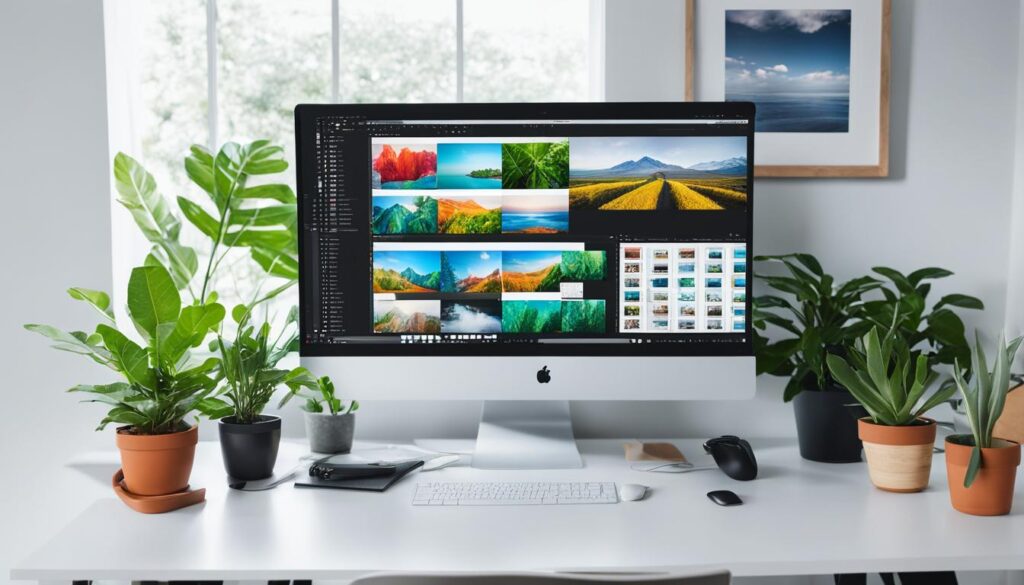
One of the standout features of Adobe Creative Cloud is its integration with Lightroom, a popular photo editing software widely used by professionals. With Lightroom, you can edit and enhance your photos to perfection, knowing that your work is automatically backed up to Adobe Cloud storage.
With Adobe Creative Cloud, you don’t have to worry about the storage limit or the safety of your projects. Your photos and other creative files are securely stored and easily accessible whenever you need them. Whether you’re working on a client project, collaborating with a team, or simply organizing your personal portfolio, Adobe Creative Cloud offers a reliable and efficient photo storage solution.
| Features | Benefits |
|---|---|
| Ample photo storage included in subscription | Never worry about running out of storage space for your photos |
| Seamless integration with Lightroom | Edit and backup your photos without any hassle |
| Backup projects and other creative files | Keep your entire creative workflow secure and accessible |
As a creative professional, having a reliable backup system is essential to protect your valuable work. Adobe Creative Cloud offers the perfect solution with its comprehensive photo storage and editing capabilities. With Adobe Cloud backup and Lightroom integration, you can focus on what you do best – creating stunning photos and captivating projects – while having the peace of mind that your work is backed up and secure.
Dropbox – Secure File Storage and Photo Backup Option
When it comes to secure file storage and photo backup, Dropbox is a versatile option that offers both convenience and reliability. With Dropbox, you can trust that your important files, including RAW files, client projects, and precious photos, are backed up and protected.
With various storage plans offered by Dropbox, you can choose the amount of storage that suits your needs. Whether you have a large collection of photos or just a few important files, Dropbox has you covered.
One of the advantages of using Dropbox is its seamless integration with different devices. You can access your files and photos from anywhere, anytime, whether you’re using a desktop computer, laptop, or mobile device. This flexibility allows you to work on your client projects or access your photos conveniently, no matter where you are.

Dropbox also provides an additional layer of security for your files. By storing your data in the cloud, you reduce the risk of losing important files due to physical hard drive failure or damage. This ensures the long-term preservation of your RAW files, client projects, and cherished memories.
Furthermore, Dropbox offers backup software that simplifies the backup process. With its user-friendly interface and intuitive features, you can easily set up automatic backups and customize your backup preferences. This saves you time and effort, allowing you to focus on what matters most: your work and your memories.
However, it’s important to note that while Dropbox is an excellent option for backup and storage, it is recommended to use it as a secondary backup solution or for specific files that require extra security. Having multiple backup methods, such as physical hard drives or other cloud storage options, ensures a redundant backup system that guarantees the safety of your files even in unexpected situations.
Overall, Dropbox provides a secure and reliable file storage and photo backup option. From RAW files to client projects and cherished memories, you can trust Dropbox to keep your important files safe and easily accessible.

Advantages of Using Dropbox for File Storage and Photo Backup:
- Flexible storage plans to suit your needs
- Seamless integration across devices
- Enhanced security and protection for your files
- Backup software for easy and customizable backups
“Dropbox provides a secure and reliable file storage and photo backup option.”
Box – Secure File Storage for Confidential Files
In today’s digital age, ensuring the security of confidential files is paramount. That’s where Box comes in. Box is a reliable file storage service that offers advanced security features, making it an ideal solution for storing sensitive information and confidential files.
With Box, you can have peace of mind knowing that your files are protected by robust encryption and authentication measures. This ensures that only authorized users can access your documents, keeping them safe from unauthorized access.
One of the key advantages of Box is its emphasis on team collaboration. With Box, you can easily collaborate with colleagues, clients, or partners on projects by securely sharing files and folders. This enables efficient and seamless collaboration, allowing everyone to work together in a secure environment.
When it comes to file security, Box takes it to another level. Along with encryption and authentication measures, Box also offers features such as access controls and file-level permissions. This means that you have full control over who can view, edit, or download your files, ensuring that sensitive information remains confidential.
It’s important to note that while Box offers secure file storage and collaboration, it does have limited storage capacity. This makes it suitable for smaller photo collections or specific files that need to be securely stored. However, if you require additional storage, Box does offer scalable plans to accommodate your needs.
Key Features of Box:
- Advanced security measures, including encryption and authentication
- Team collaboration features for seamless project management
- Access controls and file-level permissions for enhanced file security
- Scalable storage plans to accommodate different storage needs
With Box, you can trust that your confidential files are stored securely and are easily accessible for authorized users. By leveraging Box’s secure file storage and collaboration features, you can streamline your workflow and protect your valuable data.

| Pros | Cons |
|---|---|
| Advanced security measures | Limited storage capacity |
| Effortless team collaboration | |
| Access controls and file-level permissions | |
| Scalable storage plans |
Protect your confidential files with Box’s secure file storage and collaboration features. With advanced security measures and powerful team collaboration tools, Box provides the perfect solution for storing and sharing sensitive information. While Box does have limited storage capacity, it offers scalable plans to accommodate your needs.
Backblaze – Secure Backup Solution for Physical Hard Drives
When it comes to protecting your valuable photos and files stored on physical hard drives, Backblaze is a secure and reliable backup solution that offers peace of mind. By backing up your entire hard drive, you can ensure that every precious memory and important document is safeguarded against unexpected loss or damage.
One of the standout features of Backblaze is its unlimited photo storage capacity. This means you can backup an extensive collection of photos without worrying about running out of space. Whether you have thousands of family pictures or professional images, Backblaze has you covered.
To provide a seamless experience, Backblaze offers backup software that is easy to install and use. With just a few simple steps, you can set up automatic backups and schedule regular updates. This ensures that your files are continuously protected without any hassle or extra effort on your part.
Backblaze also offers a range of affordable backup plans, allowing you to choose the option that best suits your needs. Whether you have a single hard drive or multiple devices, there is a plan that can accommodate your requirements. These plans provide both security and flexibility, ensuring that your backup solution aligns perfectly with your budget.
So why choose Backblaze for backing up your physical hard drives? Not only does it offer unlimited photo storage, backup software, and flexible plans, but it also provides a seamless experience that prioritizes the safety and accessibility of your files. With Backblaze, you can have peace of mind knowing that your valuable photos and important documents are protected.
Key Benefits of Backblaze for Physical Hard Drive Backup:
- Unlimited photo storage capacity
- Easy-to-use backup software
- Affordable backup plans
- Seamless experience
“Backblaze offers a reliable and efficient backup solution for physical hard drives. With unlimited photo storage, affordable plans, and user-friendly software, it is a top choice for those seeking a secure backup option.”
Conclusion
Preserving cherished memories is essential, and that’s why storing and backing up your photos is crucial. To ensure the safety and accessibility of your photos, it is best to have a redundant backup system that includes multiple storage methods.
There are various options available for backing up your photos, such as using cloud storage sites like Flickr, Google Photos, or iCloud. These sites offer ample space, secure storage, and additional features like tagging and editing tools. They provide both free and paid plans, so you can choose the one that suits your needs.
Alternatively, you can opt for physical hard drives and backup software like Backblaze or Dropbox. These options offer added security and control over your backup process. It is important to choose a backup option that aligns with your preferences and provides peace of mind.
By implementing a redundant backup system that utilizes multiple storage methods, you can safeguard your cherished memories and ensure they are easily accessible whenever you need them. Don’t wait until it’s too late; take the necessary steps now to protect your photos and preserve the moments that matter most.
FAQ
What are the top choices for best backup storage for photos?
Some of the top choices for best backup storage for photos include cloud photo storage sites, secure online photo backup services, and photo storage options with backup software.
What are the best photo storage and sharing sites?
Some of the best photo storage and sharing sites include Flickr, Google Photos, and iCloud.
What is 500px and is it suitable for professional photographers?
500px is a photo storage site specifically designed for professional photographers. It offers an image-focused design, unlimited uploads, and customization options.
Is Google Photos a good option for smartphone backups?
Yes, Google Photos is an excellent option for backing up photos from smartphones. It offers unlimited storage for photos up to a certain resolution, tagging and sharing features, and basic editing tools.
What is Amazon Prime Photos and who is it suitable for?
Amazon Prime Photos is a photo storage site available to Amazon Prime members. It offers unlimited photo storage, auto-tagging, and the option to order photo prints and other photo-based products.
Is Apple iCloud a good backup option for iPhone owners?
Yes, Apple iCloud is a photo storage option specifically designed for iPhone owners. It integrates with Apple Photos software, offers easy backup and sharing of photos, and provides subscription options with different storage capacities.
Does Adobe Creative Cloud include photo storage?
Yes, Adobe Creative Cloud includes photo storage as part of its subscription plans. Creative professionals can use Adobe Cloud to backup their edited photos and other projects, and it also includes Lightroom, a popular photo editing software.
Is Dropbox a good option for secure file storage and photo backup?
Yes, Dropbox is a versatile file storage and photo backup option. It allows users to backup their RAW files, client projects, and other important files and offers various storage plans to suit different needs.
What is Box and why is it suitable for storing confidential files?
Box is a file storage service that offers additional security and collaboration features. It is ideal for storing confidential files or files that require extra security measures, although it has limited storage capacity.
Is Backblaze a good backup solution for physical hard drives?
Yes, Backblaze is a backup solution specifically designed for physical hard drives. It allows users to backup their entire hard drive and offers unlimited photo storage and affordable subscription plans.
Why is having a redundant backup system important for storing and backing up photos?
Having a redundant backup system that includes multiple storage methods is important for preserving cherished memories. It provides an extra layer of security and ensures the safety and accessibility of your photos.
