
Are you looking for the best backup appliance solution for your organization? Look no further! In this comprehensive guide, we will take an in-depth look at backup appliance solutions, providing you with the knowledge and insights to make the right choice. Whether you’re a small business or an enterprise, finding the perfect backup appliance is crucial for data protection and business continuity.
Integrated backup appliances offer a convenient all-in-one solution, combining backup software, storage, and deduplication on a single device. This makes them highly efficient and cost-effective. With the ability to run virtual workloads and preserve data on premises or in the cloud, backup appliances provide a comprehensive backup strategy.
To help you make an informed decision, we will compare different backup appliance options, examining their features, functionalities, and product descriptions. We’ll explore the pros and cons of each solution, allowing you to weigh them against your organization’s specific needs and requirements.
Key Takeaways:
- Integrated backup appliances combine backup software, storage, and deduplication in one device.
- They offer benefits such as running virtual workloads and preserving data on premises or in the cloud.
- When choosing a backup appliance, consider factors such as capacity, performance, and secondary data usage.
- Examine different vendors, comparing their features, security protection, and sales models.
- Explore backup appliance options for both hardware-based and cloud-based solutions.
Considerations for Selecting a Data Backup Appliance
When it comes to selecting a data backup appliance, it’s essential to consider the specific needs and requirements of your organization. By prioritizing features and performance, you can ensure that the chosen appliance meets your backup and recovery goals effectively.
Here are some key considerations to keep in mind:
- Data Backup Capacity and Frequency: Evaluate the amount of data you need to backup regularly and assess the frequency of backups required. This will help determine the storage capacity and processing speed needed for seamless backup operations.
- Recovery Time Objective: Consider the maximum allowable downtime for your business. A shorter recovery time objective (RTO) indicates the need for an appliance with faster restore capabilities, ensuring minimal disruption in the event of data loss.
- Scalability: Plan for future growth and increased data volumes by selecting a backup appliance that offers scalability options. This will allow you to expand your storage capacity without compromising backup performance.
- Secondary Data Usage: Determine if you have any specific requirements for utilizing the backed-up data. If you need to perform analytics, testing, or development on the secondary data, choose an appliance that supports these functionalities.
By considering these factors and creating a list of must-have features, you can make an informed decision when selecting a data backup appliance.
| Feature | Vendor A | Vendor B | Vendor C |
|---|---|---|---|
| Data Deduplication | Yes | Yes | No |
| Compression | Yes | No | Yes |
| Cloud Integration | Yes | Yes | Yes |
| Encryption | Yes | Yes | Yes |
| Scalability | High | Medium | Low |
Selecting the Right Integrated Backup Appliance

When it comes to selecting the best backup appliance for your organization’s needs, it’s crucial to evaluate the offerings from different vendors. In this section, we will compare appliance-based data backup systems from eight leading vendors, analyzing how each one addresses capacity, performance, and secondary storage. Additionally, we’ll consider key factors such as supported operating systems, hypervisors, and databases, as well as form factors, security protection, and sales models.
Vendor Comparison
Let’s take a closer look at the top backup appliances in the market and their key features:
| Vendor | Capacity | Performance | Secondary Storage | Operating Systems | Hypervisors | Databases | Form Factors | Security Protection | Sales Models |
|---|---|---|---|---|---|---|---|---|---|
| Vendor A | 1 TB – 100 TB | High throughput, low latency | Integrated deduplication and compression | Windows, Linux, VMware | VMware, Hyper-V | Oracle, SQL Server | 2U rack-mounted | Encryption, access controls | Direct sales |
| Vendor B | 500 GB – 50 TB | High-speed backups and restores | Off-site replication | Windows, Linux, UNIX | VMware, Hyper-V, Citrix | MySQL, PostgreSQL | 1U rack-mounted, tower | Encryption, secure erase | Reseller partnerships |
| Vendor C | 1 TB – 200 TB | Optimized for large-scale backups | Tape archiving support | Windows, Linux, UNIX | VMware, Hyper-V, KVM | Oracle, SAP HANA | 4U rack-mounted, high-density | Role-based access controls, firewalls | Online purchases, resellers |
| Vendor D | 2 TB – 150 TB | Excellent deduplication and compression ratios | Integrated object storage | Windows, Linux, UNIX | VMware, Hyper-V, AWS | Microsoft SQL, Oracle | 3U rack-mounted | Encryption, secure data transfer | Channel partners, direct sales |
These are just a few examples of the top backup appliances available on the market. Evaluating the features, performance, and supported environments of each vendor will help you make an informed decision.
“Selecting the right integrated backup appliance requires careful consideration of various factors. By comparing features such as capacity, performance, and security protection, you can ensure that the appliance meets your organization’s specific needs.” – industry expert
By conducting a thorough evaluation of these integrated backup appliances, you can find the top-rated backup appliances that align with your organization’s requirements. Don’t forget to read backup appliance reviews from reputable sources to gather insights from real users. This will provide valuable information to aid your decision-making process.

Stay tuned for the upcoming sections where we will explore other aspects of backup solutions, including hardware-free cloud backup and traditional appliance-based business continuity.
What Integrated Data Backup Appliances Offer
Integrated data backup appliances provide a comprehensive solution for various data management needs. These appliances offer a range of functionalities including backup, archiving, disaster recovery, replication, and more. Let’s explore some of the key features and benefits they offer.

A backup appliance is an all-in-one solution that combines backup software, storage, and deduplication capabilities on a single device. It simplifies the backup process and eliminates the need for separate components, making it a cost-effective and efficient solution for organizations of all sizes.
Key Functions of Integrated Data Backup Appliances
- Backup: Integrated data backup appliances provide seamless and reliable backup capabilities for protecting critical business data. They offer automated and scheduled backup processes, ensuring that your data is securely stored and easily recoverable in the event of data loss or corruption.
- Archiving: These appliances also offer archiving functionalities, allowing you to store older, less frequently accessed data in a separate repository. This helps in reducing primary storage costs and optimizing storage resources.
- Disaster Recovery: Integrated backup appliances are designed to help organizations recover their data quickly and efficiently in the event of a disaster. They offer features like data replication, off-site storage, and point-in-time recovery, ensuring business continuity and minimizing downtime.
- Replication: By leveraging replication capabilities, integrated backup appliances enable you to create redundant copies of your data at multiple locations. This ensures data availability and protection against site-level failures or data center disruptions.
In addition to these core functionalities, integrated data backup appliances offer various other features that further enhance their usability, such as:
- Deduplication: Integrated appliances typically incorporate advanced deduplication techniques that eliminate redundant data, reducing storage requirements and optimizing backup processes.
- Virtual Machine Protection: Many appliances provide specialized features for protecting virtual machines, ensuring reliable backups and rapid recovery for virtualized environments.
- Database Protection: Integrated backup appliances offer database-specific functionalities, enabling efficient backup and recovery for popular databases like Oracle, SQL Server, and MySQL.
- Test/Development and Analytics: Some appliances can be used for test and development purposes, providing a secure and isolated environment to validate changes and updates. They can also be leveraged for analytics purposes, enabling insights from backup data.
- Long-Term Data Preservation: Integrated appliances offer options for long-term data retention, allowing organizations to comply with retention policies and regulations.
Overall, integrated data backup appliances offer a comprehensive and efficient solution for data protection and management. They streamline backup processes, enhance data availability, and provide robust disaster recovery capabilities. When selecting a backup appliance, consider the specific needs of your organization and evaluate the features and functionalities offered by different vendors.

| Functionality | Benefits |
|---|---|
| Backup | Ensures data protection and recoverability |
| Archiving | Reduces primary storage costs and optimizes resources |
| Disaster Recovery | Enables rapid data recovery and ensures business continuity |
| Replication | Provides redundant copies of data for increased resilience |
| Deduplication | Reduces storage requirements and optimizes backup processes |
| Virtual Machine Protection | Ensures reliable backups and rapid recovery for virtualized environments |
| Database Protection | Efficient backup and recovery for popular databases |
| Test/Development and Analytics | Provides secure environments for testing and enables insights from backup data |
| Long-Term Data Preservation | Compliance with retention policies and regulations |
Direct-to-Cloud: Business Continuity Without the Local Appliance
Are you looking for a hardware-free cloud backup solution? Direct-to-Cloud backup offers the perfect alternative, allowing you to protect your remote endpoints without the need for on-site appliances. This option is especially suitable for clients who prefer a cost-effective approach or want to separate their backups from the production infrastructure.
When considering Direct-to-Cloud backup, there are a few essential factors to keep in mind. These include network compatibility, recovery time, and cloud-based restore speeds. Let’s take a closer look at these aspects:
- Network Compatibility: It is crucial to ensure that your network infrastructure can support the volume of data transfers required for Direct-to-Cloud backup. Assess your network’s bandwidth and latency to guarantee optimal performance.
- Recovery Time: Direct-to-Cloud backup offers the advantage of faster restoration times compared to traditional appliance-based backup. Evaluate the recovery time provided by different service providers to ensure it aligns with your business’s recovery time objectives.
- Cloud-Based Restore Speeds: The speed at which you can restore your data from the cloud is a vital consideration. Faster restore speeds translate to quicker access to critical information, minimizing downtime in case of data loss or system failure.
To help you visualize the benefits of Direct-to-Cloud backup, take a look at the following table, highlighting the key features and advantages of this hardware-free solution:
| Features | Advantages |
|---|---|
| Hardware-free | No need for on-site appliances, reducing costs and maintenance requirements |
| Scalability | Easily scale your backup storage capacity as your data grows |
| Flexibility | Separate your backups from the production infrastructure for added security |
| Cost-effectiveness | Eliminate the need for hardware purchases and ongoing maintenance expenses |

By opting for Direct-to-Cloud backup, you can ensure business continuity without the hassle of managing local appliances. With its hardware-free approach, this solution provides a reliable and cost-effective way to protect your critical data in the cloud.

Next, let’s explore the advantages of traditional appliance-based backup for clients who prefer dedicated on-site hardware for local failover. We’ll delve deeper into how this approach integrates with existing infrastructure and supports physical or virtual servers.
Traditional Appliance-Based BCDR
When it comes to data backup and disaster recovery, some clients prefer the reliability and control that appliance-based backup provides. Using dedicated on-premise hardware ensures local failover capabilities and can be particularly advantageous for organizations with strict compliance requirements or limited connectivity to the cloud.
There are several benefits to appliance-based backup:
- Local Backup Availability: With appliance-based backup, your data is stored locally, allowing for quick and efficient backup and recovery operations. This is especially important during network outages or when access to cloud services may be limited.
- Hardware Compatibility: Appliance-based backup solutions are designed to work seamlessly with specific hardware configurations, ensuring optimal performance and reliability.
- Local Recovery Options: In the event of a system failure or data loss, appliance-based backup enables fast and reliable recovery directly from the on-premise hardware, minimizing downtime and productivity losses.
It’s crucial to evaluate how appliance-based backup integrates with your existing infrastructure. Consider factors such as compatibility with your operating systems, hypervisors, and databases. Furthermore, assess whether the solution supports physical or virtual servers, as well as how it aligns with your long-term IT strategy.
To illustrate the benefits of appliance-based backup, we’ve created a table comparing two popular appliance-based backup solutions:
| Backup Solution | Key Features | Scalability | Compatibility |
|---|---|---|---|
| Vendor A Backup Appliance |
|
Flexible scaling options to accommodate growing data needs | Compatible with major operating systems and hypervisors |
| Vendor B Backup Appliance |
|
Easily expandable to support increasing data volumes | Works seamlessly with a wide range of databases and applications |

Note: This is a simplified comparison and does not represent an exhaustive evaluation of all available solutions.
By carefully considering the benefits and evaluating the features of different appliance-based backup solutions, you can choose the one that best meets your organization’s needs and provides the necessary level of data protection and disaster recovery capabilities.

Why is Data Backup Important for Business?
Understanding the importance of a comprehensive data backup strategy is crucial for ensuring the protection of your business against potential risks and threats. Data protection is essential to safeguard valuable information from various potential hazards, including hardware failures, cyber attacks, human error, and natural disasters. Without a reliable backup plan in place, businesses face the risk of data loss, extended downtime, reputation damage, and financial consequences.
To mitigate these risks, it’s crucial to follow industry best practices and implement a robust data backup strategy. One such practice is the 3-2-1 rule of backup, which recommends having three copies of data on two different types of media, with at least one copy stored off site. This redundancy ensures that even if one copy becomes inaccessible or corrupted, there are alternative copies available for restoration.
Furthermore, the rise of remote work has highlighted the need for cloud backup. With employees accessing and working on data from various locations and devices, a cloud-based backup solution offers an accessible, scalable, and secure method of data protection. Whether it’s accidental file deletion, a system crash, or a cybersecurity incident, having data stored securely in the cloud provides an additional layer of protection against data loss.
Backup.Country offers a reliable SAAS-based backup service that ensures your business’s critical data is securely backed up and easily recoverable in the event of a disaster. With a user-friendly interface, robust encryption, and flexible storage options, Backup.Country is the ideal partner for establishing a data backup strategy that protects your business’s valuable assets.
| Benefits | |
|---|---|
| Protection against hardware failures | Ensures data integrity and prevents loss due to hardware malfunctions |
| Cyber attack mitigation | Provides a means to recover data and systems compromised by ransomware or other cyber threats |
| Human error recovery | Allows for the restoration of accidentally deleted or modified files |
| Natural disaster resilience | Enables business continuity and recovery in the aftermath of natural disasters |
| Compliance adherence | Meets regulatory requirements for data retention and protection |
What Should Be Included in a Backup Plan?

When developing a data backup plan, it’s crucial to consider several key factors to ensure the protection and availability of your organization’s valuable information. A comprehensive backup plan should encompass various elements such as risk assessment, data prioritization, documentation, and regular updates. Let’s delve into each of these components to understand their significance in creating an effective backup strategy.
Risk Assessment and Business Impact Analysis
Before implementing a backup plan, conducting a thorough risk assessment is essential. This process helps identify potential threats that could impact your data, such as hardware failures, cyber attacks, human error, or natural disasters. By understanding and evaluating these risks, you can develop strategies to mitigate them effectively. Additionally, performing a business impact analysis enables you to assess the potential consequences of data loss and prioritize backup efforts accordingly.
Data Prioritization based on Importance and Frequency of Changes
Not all data is equally critical or changes at the same rate. It’s important to prioritize your data based on its importance and frequency of changes. This ensures that the most vital information is backed up frequently, allowing for faster recovery and minimal disruption in case of data loss. By categorizing your data into different levels of importance, you can allocate backup resources accordingly and optimize the efficiency of your backup plan.
Documentation of Backup Process, Responsibilities, and Locations
An effective backup plan requires clear documentation of the backup process, including specific responsibilities and the locations where backups are stored. This ensures that all stakeholders are aware of their roles and understand the backup procedures. Additionally, documenting backup locations helps in easily locating and restoring data in case of a disaster. Regularly reviewing and updating this documentation ensures that it remains accurate and up-to-date.
Consideration of Backup Strategy Costs
While developing a backup plan, it’s important to consider the costs associated with your chosen backup strategy. Factors such as hardware, software, storage, and maintenance expenses should be taken into account. Balancing the costs with the level of data protection required is crucial to create a cost-effective yet reliable backup plan. Regularly reevaluating the cost-effectiveness of your backup strategy allows for adjustments and optimizations over time.
Creating a robust backup plan that encompasses risk assessment, data prioritization, documentation, and cost considerations is vital for ensuring the protection and availability of your organization’s data. By following these guidelines, you can develop an efficient backup strategy that minimizes the risk of data loss and maximizes business continuity.
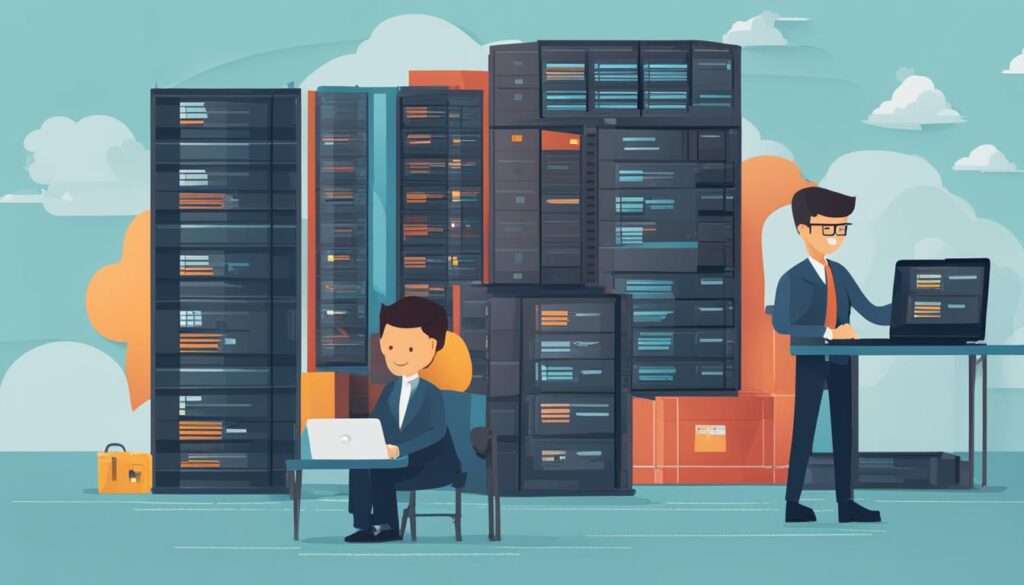
Evaluate Options: Hardware vs. Software vs. Cloud
When it comes to choosing the best backup storage option for your organization, there are several factors to consider. In this section, we’ll compare three popular choices: hardware-based backup, software-based backup, and cloud-based backup. Let’s take a closer look at the advantages and disadvantages of each option.
Hardware-Based Backup
Advantages:
- Fast backup and restore speeds, especially when using high-performance hardware
- Provides local storage for quick access and recovery
- Offers physical control and security over data
Disadvantages:
- Higher upfront costs for hardware procurement and maintenance
- Limited scalability and potential capacity constraints
- Vulnerable to hardware failures or disasters at the backup site
Software-Based Backup
Advantages:
- Flexibility to choose storage media, whether disk or tape
- Lower upfront costs compared to hardware-based backup
- Scalability to meet changing backup storage needs
Disadvantages:
- Relies on existing infrastructure for backup and recovery
- Higher potential for human error in managing the backup software
- Potential performance impact on production systems during backup
Cloud-Based Backup
Advantages:
- Off-site storage ensures data protection in case of local disasters
- Easy scalability to accommodate growing data volumes
- Cost-effective pay-as-you-go pricing model
Disadvantages:
- Dependent on internet connection for backup and restore operations
- Potential concerns regarding data security and compliance
- Need to rely on cloud service providers for data availability
Now that we’ve explored the advantages and disadvantages of each backup storage option, it’s crucial to assess your organization’s specific needs and evaluate vendor offerings. Consider factors like cost, speed, security, and accessibility. Choose a solution that aligns with your business requirements and ensures the safety of your valuable data.
Table: Comparison of Backup Storage Options
| Backup Storage Option | Advantages | Disadvantages |
|---|---|---|
| Hardware-Based Backup | Fast backup and restore speeds Provides local storage for quick access and recovery Offers physical control and security over data |
Higher upfront costs for hardware procurement and maintenance Limited scalability and potential capacity constraints Vulnerable to hardware failures or disasters at the backup site |
| Software-Based Backup | Flexibility to choose storage media, whether disk or tape Lower upfront costs compared to hardware-based backup Scalability to meet changing backup storage needs |
Relies on existing infrastructure for backup and recovery Higher potential for human error in managing the backup software Potential performance impact on production systems during backup |
| Cloud-Based Backup | Off-site storage ensures data protection in case of local disasters Easy scalability to accommodate growing data volumes Cost-effective pay-as-you-go pricing model |
Dependent on internet connection for backup and restore operations Potential concerns regarding data security and compliance Need to rely on cloud service providers for data availability |
Now that you have a thorough understanding of the backup storage options available, it’s time to weigh the pros and cons, considering your organization’s unique requirements. Remember to evaluate the advantages, disadvantages, and potential risks associated with each option. By making an informed decision, you can ensure the implementation of a robust backup strategy that safeguards your data.
Conclusion
In conclusion, when it comes to choosing the right backup appliance for your organization, it’s crucial to carefully consider your specific needs and requirements. Evaluating key features, performance capabilities, and storage options will help you identify the best solution to meet your backup demands. Furthermore, it’s important to stay informed about the latest market trends and seek recommendations from reputable sources to make an informed decision.
As the backup appliance landscape continues to evolve, keeping up with market trends will help you stay ahead of the curve and ensure your organization is equipped with the top-rated backup appliances available. Whether it’s advancements in deduplication technology or the emergence of new backup features, being aware of the latest developments can provide strategic advantages for your data protection strategy.
If you’re ready to take the next step in securing your data, consider starting your free trial with Backup.Country. As a SAAS-based backup service, Backup.Country offers a range of backup appliance solutions designed to meet the needs of various organizations. Their top-rated backup appliances combine robust features, high performance, and flexible storage options to deliver reliable and efficient data protection.
Don’t miss out on harnessing the power of cutting-edge backup technology. Start your free trial with Backup.Country today and experience the peace of mind that comes with knowing your data is safe and secure.
FAQ
What is an integrated backup appliance?
An integrated backup appliance is a device that combines backup software, storage, and deduplication into a single solution. It offers the convenience of running virtual workloads and preserving data on premises or in the cloud.
How do I choose the best backup appliance for my organization?
Before evaluating backup appliances, it is important to prioritize your organization’s specific needs, including capacity, performance requirements, and secondary data usage. Create a list of must-have features and consider factors such as data backup capacity and frequency, recovery time objective, and scalability.
What factors should I consider when comparing backup appliances?
When comparing backup appliances, consider factors such as supported operating systems, hypervisors, and databases. Evaluate form factors, security protection, and sales models. Also, consider how each vendor addresses capacity, performance, and secondary storage.
What functions can integrated backup appliances perform?
Integrated backup appliances can perform functions such as backup, archiving, disaster recovery, replication, test/development, and analytics. They can also protect virtual machines and databases and provide long-term data preservation.
What is Direct-to-Cloud hardware-free backup?
Direct-to-Cloud hardware-free backup is a solution that protects remote endpoints without the need for on-site appliances. It offers a cost-effective approach and separates backups from the production infrastructure. Consider factors such as network compatibility, recovery time, and cloud-based restore speeds when choosing this option.
What are the benefits of appliance-based backup?
Appliance-based backup provides dedicated on-site hardware for local failover. It ensures local backup availability during network outages and offers hardware compatibility and local recovery options. Evaluate how appliance-based backup integrates with existing infrastructure and supports physical or virtual servers.
Why is data backup important for business?
Data backup is important for protecting against hardware failures, cyber attacks, human error, and natural disasters. Following the 3-2-1 rule of backup (having three copies of data, on two different types of media, with one copy stored off site) helps mitigate risks. Additionally, remote work and the need for cloud backup highlight the importance of data backup in today’s business landscape.
What should be included in a backup plan?
A comprehensive backup plan should include conducting a risk assessment and business impact analysis. Prioritize data based on importance and frequency of changes. Document the backup process, including responsibilities and locations. Consider the cost of the backup strategy and update it regularly.
What are the options for backup storage?
Backup storage options include disk, tape, and cloud. Each option has advantages and disadvantages in terms of cost, speed, security, and accessibility. Evaluate your organization’s specific needs and consider hardware, software, or cloud-based backup solutions offered by vendors.
How do I select the right backup appliance?
Selecting the right backup appliance requires careful consideration of your organization’s specific needs and requirements. Evaluate features, performance, and storage options to find the best solution. Consider market trends and consult reputable sources for reviews and recommendations.
