
In today’s digital age, data has become one of the most valuable assets for businesses. From sensitive customer information to crucial business documents, the loss or corruption of data can have severe consequences. That’s where online backup comes in. With its secure and efficient data protection solutions, online backup provides businesses with peace of mind and ensures that their data is safe and easily recoverable.
Online backup, also known as cloud backup, offers numerous advantages over traditional backup methods. By leveraging automatic cloud backup and remote backup services, organizations can protect their data against various threats, such as hardware failure, natural disasters, human errors, and cyberattacks.
One of the key advantages of online backup is its scalability. Businesses of all sizes can benefit from this solution, as it can handle small and large workloads without impacting operations or productivity. Additionally, cloud backup is cost-effective, especially for startups and small businesses that may have limited budgets for data protection.
Another significant advantage of online backup is its improved recovery time. Unlike traditional tape backups, which require physically locating and loading data, online backup allows for quick file recovery over a network connection. This reduces downtime and ensures business continuity, even in the face of unexpected disruptions.
Accessibility and disaster recovery are also enhanced through online backup. Employees can securely access files from anywhere, making it ideal for organizations with remote or hybrid workforces. Furthermore, online backup provides off-site data protection, safeguarding against local storage outages or regional disasters.
When it comes to data protection, online backup offers a broader range of coverage. It enables organizations to back up edge devices like laptops and tablets, providing comprehensive data protection. Cloud backup can also replace or supplement tape vaulting, eliminating concerns about storage limitations and ensuring business continuity.
While there are some limitations associated with online backup, such as the time it takes for initial full backups and concerns about loss of control, the benefits far outweigh them. Cloud backup provides reliable and efficient backup solutions, scalability, improved recovery times, accessibility, broader data protection, and off-site disaster recovery.

In conclusion, online backup is vital for businesses of all sizes. By implementing this secure and efficient data protection solution, organizations can ensure the safety and integrity of their data, comply with data security requirements, and mitigate the risk of data loss. Protecting your data is paramount, and online backup offers the necessary tools and strategies to safeguard your business.
Key Takeaways:
- Online backup offers scalable and cost-effective data protection solutions for businesses of all sizes.
- It provides improved recovery times, reducing downtime and ensuring business continuity.
- Online backup offers accessibility to data from anywhere, ideal for remote and hybrid workforces.
- It provides off-site data protection, safeguarding against local storage outages and regional disasters.
- Online backup enables comprehensive data protection and eliminates concerns about storage limitations.
Efficient and Reliable Backup Solutions
When it comes to protecting your valuable data, efficiency and reliability are key. Online backup solutions offer state-of-the-art technologies that ensure seamless data backup and recovery. These solutions leverage disk-based backup, data compression, encryption, data deduplication, server virtualization, and storage virtualization, among others, to optimize the backup process. By utilizing these advanced technologies, online backup solutions provide efficient data backup and reliable protection for your critical information.
Online backup solutions are hosted in SSAE-16 certified data centers, guaranteeing the highest level of security and compliance. These data centers offer 24/7 monitoring, management, and support for disaster recovery activities, ensuring the integrity and availability of your data at all times. With round-the-clock monitoring, potential issues are identified and addressed promptly, minimizing the risk of data loss or downtime.
Moreover, online backup solutions eliminate the need for cumbersome tasks such as technology upgrades and infrastructure management. By entrusting your data backup to a reliable online backup provider, you can focus on your core business activities without the worry of managing backup infrastructure. Additionally, online backup solutions mitigate concerns about data migration and obsolescence, as they are designed to seamlessly adapt to changing technologies and support long-term data storage.
Online backup solutions leverage state-of-the-art technologies to ensure efficient data backup and reliable protection for your critical information.
With these efficient and reliable backup solutions in place, you can have peace of mind knowing that your data is securely stored and easily recoverable. Whether it’s a hardware failure, human error, or a cybersecurity incident, online backup solutions provide a robust safety net to safeguard your data and ensure business continuity.
Maximizing Efficiency with Data Compression and Deduplication
One of the key features of online backup solutions is data compression and deduplication. These techniques optimize the backup process by reducing the amount of data that needs to be stored and transferred.
Data compression shrinks the size of your data files, allowing for faster backup and recovery times. This not only saves storage space but also minimizes the bandwidth required for data transfer, resulting in more efficient backup operations.

Data deduplication, on the other hand, eliminates redundant data by storing only unique data blocks. This further reduces the storage requirements and minimizes network traffic, making the backup process even more efficient.
Ensuring Data Security with Encryption
Data security is of utmost importance when it comes to backup solutions. Online backup solutions employ encryption techniques to protect your data from unauthorized access.
During the backup process, your data is encrypted using industry-standard encryption algorithms. This ensures that even if someone gains access to the stored data, it remains unreadable and unusable without the decryption key.
The encrypted data is securely transferred over the network to the backup servers, further protecting it from interception or tampering. With encryption in place, you can be confident that your sensitive information is safe and secure.
| Key Features of Online Backup Solutions |
|---|
| State-of-the-art technologies |
| 24/7 monitoring, management, and support |
| Easy scalability |
| Data compression and deduplication |
| Encryption for data security |
| Seamless adaptation to changing technologies |
With efficient data backup and reliable backup solutions, online backup ensures the protection and accessibility of your valuable data. By leveraging state-of-the-art technologies, encryption, and advanced management features, these solutions provide a robust and secure backup environment. With secure data centers and 24/7 support, you can trust that your data is in safe hands.
In the next section, we will explore the scalability and cost-saving advantages of online backup solutions. Stay tuned!
Scalability and Cost Savings

When it comes to data backup, businesses of all sizes need scalable solutions that can grow with their needs. Online backup provides the flexibility to handle small amounts of data or large workloads without disrupting operations or productivity. Whether you’re a startup or a small business, cloud backup offers the scalability required to adapt to your changing data storage requirements.
Not only does online backup provide scalability, but it also offers significant cost savings. For startups and small businesses with limited budgets, investing in on-premises backup infrastructure can be financially burdensome. By leveraging cloud storage, organizations can avoid the high costs associated with acquiring and maintaining hardware and software for local backups.
Let’s take a look at a table that compares the scalability and cost-effectiveness of online backup solutions with traditional on-premises options:
| Factors | Online Backup | Traditional On-Premises Backup |
|---|---|---|
| Scalability | Highly scalable, able to handle growing data volumes without impacting operations. | Limited scalability, requires investment in additional hardware and software for expansion. |
| Cost | Cost-effective, eliminates the need for purchasing and maintaining backup infrastructure. | High upfront and ongoing costs, including hardware, software, and maintenance expenses. |
| Flexibility | Offers flexibility to adjust storage capacity based on changing business needs. | Limited flexibility, requires physical resources to be provisioned and managed. |
| Accessibility | Allows remote access to data, enabling collaboration and productivity from anywhere. | Restricted to on-premises access, limiting remote work capabilities. |
As shown in the table, online backup solutions provide high scalability, allowing businesses to accommodate their expanding data requirements. Moreover, leveraging cloud storage enables cost savings, eliminating the need for costly investments in on-premises backup infrastructure. This combination of scalability and cost-effectiveness makes online backup an attractive solution for businesses looking to protect their data without breaking the bank.
This image illustrates the potential cost savings of online backup solutions:


By implementing scalable and cost-effective online backup solutions, businesses can ensure the safety of their data while efficiently managing their backup expenses.
Improved Recovery Time
When it comes to data recovery, time is of the essence. With traditional backup methods like tape, the process can be time-consuming and labor-intensive. Operators need to physically locate the tapes, load them into the drive, and then retrieve the desired data. This manual approach often leads to delays and increased downtime, impacting business operations.
However, online backup offers a faster and more efficient solution. Unlike tape backups, which require physical handling, online backup allows for quick file recovery over a network connection. With just a few clicks, businesses can retrieve their critical data, eliminating the need for physical transport and tape handling.
Reducing recovery time is crucial in minimizing downtime and ensuring business continuity. By leveraging online backup solutions, organizations can swiftly recover their data and systems, getting back up and running in no time. This accelerated recovery process translates into reduced downtime and improved productivity.
“Online backup allows for quick file recovery over a network connection, eliminating the need for physical transport or tape handling. This reduces the time needed to recover critical data and systems, minimizing downtime and ensuring business continuity.”
Embracing online backup not only speeds up the recovery process but also enhances data protection. With faster data recovery, businesses can promptly address any data loss incidents and mitigate the potential impact on their operations. This agility and resilience contribute to the overall success and stability of the organization.
Accessibility and Disaster Recovery
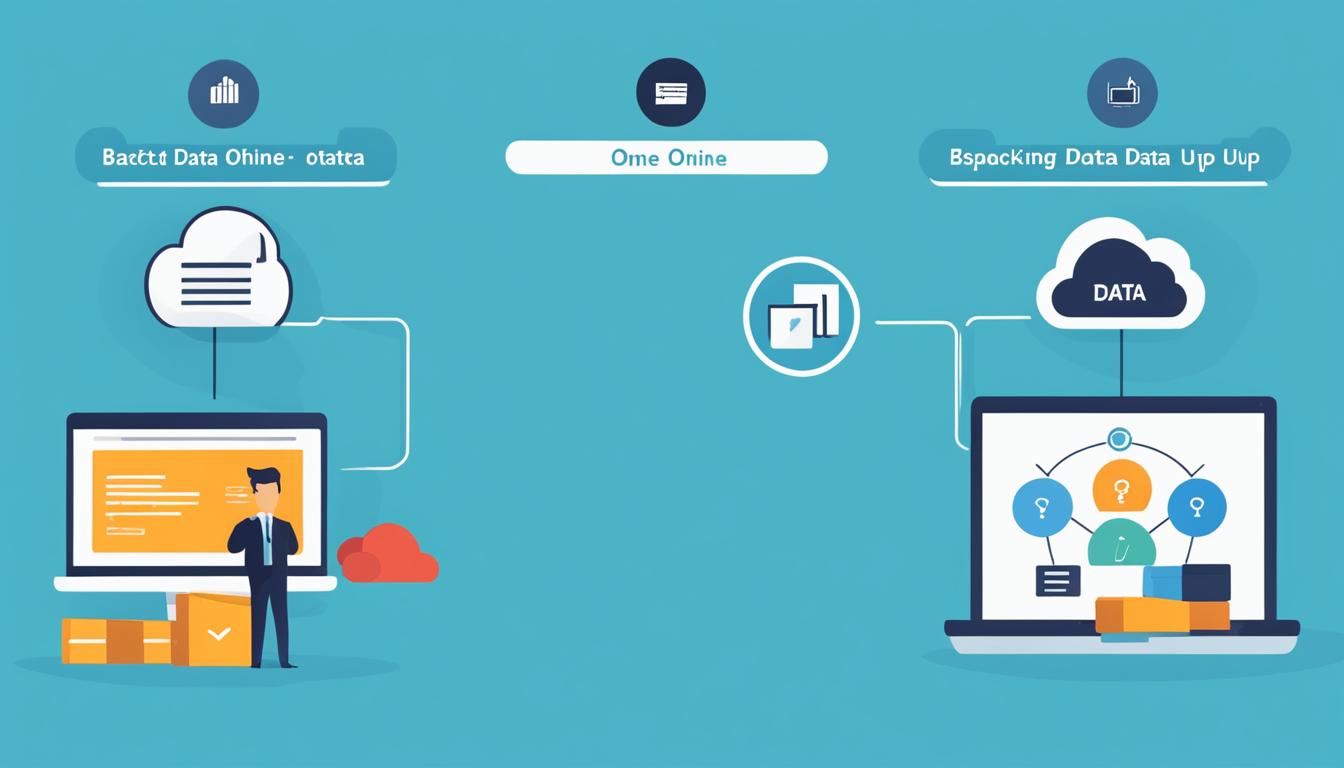
Online backup provides accessible backup solutions for organizations with remote or hybrid workforces. With online backup, employees can securely access files from any internet-connected device, enabling increased productivity and seamless collaboration. This accessibility ensures that teams can easily retrieve and work on the latest versions of files, even when they are not physically present in the office.
Moreover, online backup offers off-site data protection, safeguarding against local storage outages or regional disasters. In the event of a failure in on-premises storage arrays, cloud-located data can be easily retrieved once the local equipment is back in service. This ensures that businesses can quickly recover critical data and resume operations without experiencing significant downtime.
By leveraging accessible backup solutions and off-site data protection, organizations can protect their valuable data and ensure business continuity, no matter the circumstances.

Benefits of Accessibility and Disaster Recovery:
- Increased productivity and collaboration with remote access to files
- Seamless retrieval of data after storage failures or regional disasters
- Minimal downtime and quick recovery of critical data
- Enhanced business continuity and data safety
“Online backup provides accessible backup solutions for organizations with remote or hybrid workforces.”
Broader Data Protection
In today’s digital landscape, comprehensive data protection is essential for organizations of all sizes. Cloud backup provides a robust solution by offering broader data protection that goes beyond traditional on-premises backup arrangements.
One of the key advantages of cloud backup is the ability to backup edge devices such as laptops or tablets. These devices often contain critical data that may not be included in the on-premises backup strategy. By backing up edge devices to the cloud, organizations can ensure that all important data is protected.
| Benefits of Cloud Backup | Explanation |
|---|---|
| Backup for Edge Devices | Cloud backup allows organizations to protect data from devices such as laptops or tablets. |
| Replacing or Supplementing Tape Vaulting | Cloud backup can be a cost-effective solution to replace or supplement traditional tape vaulting methods. |
| Storage Consolidation | Cloud repositories offer vast storage capacity, enabling organizations to consolidate their storage assets from multiple locations globally. |
| Ensuring Business Continuity | By leveraging cloud backup, organizations can ensure business continuity in the event of a disruption, eliminating concerns about storage limitations. |
Furthermore, cloud backup can replace or supplement tape vaulting methods. Tape vaulting has traditionally been used for off-site backups, but cloud backup provides a more efficient and cost-effective solution. With cloud backup, organizations can take advantage of the scalability and vast storage capacity offered by cloud repositories.

The consolidation of storage assets from multiple locations globally not only simplifies backup operations but also contributes to ensuring business continuity. By having all critical data stored in the cloud, organizations can easily recover their data in the event of a disruption, minimizing downtime and maintaining operations.
Overall, cloud backup offers comprehensive data protection by allowing organizations to backup edge devices, eliminating the need for tape vaulting, and enabling storage consolidation. By embracing cloud backup solutions, businesses can enhance their data protection capabilities and ensure that their critical data remains safe and easily recoverable.

Initial Backup Time and Size Limitations
When it comes to cloud backup, one potential drawback is the time required for the initial full backup, especially if there is a large amount of data to be backed up. This can be a significant consideration for organizations looking to implement cloud backup solutions.
Depending on the volume of data, the initial backup process can take a substantial amount of time. Completing the initial backup during regular business hours can impact production systems and interfere with day-to-day operations. To minimize disruptions, organizations may need to schedule backups after hours or over weekends, ensuring minimal impact on critical business processes.
Bandwidth limitations can also affect backup strategies that require quick data retrieval. If the backup process relies heavily on transferring large amounts of data over limited network bandwidth, it can slow down data retrieval and impact overall system performance.
However, various methods such as data deduplication can help mitigate the impact of data size and bandwidth limitations. Data deduplication eliminates redundant data, storing only unique instances of files or blocks. This reduces the amount of data that needs to be backed up, speeding up the backup process and minimizing the impact on network bandwidth.
Despite the initial backup time and size limitations, the benefits of cloud backup, such as data security, accessibility, and scalability, often outweigh these challenges. Organizations should consider their specific backup needs and evaluate the trade-offs between initial backup time and ongoing data protection benefits when choosing a cloud backup solution.
Pros and Cons of Initial Backup Time and Size Limitations
| Pros | Cons |
|---|---|
| – Provides reliable and secure data backup | – Lengthy initial backup time |
| – Offers scalability and accessibility | – Potential impact on production systems |
| – Reduces data size through deduplication | – Bandwidth limitations affect data retrieval |
| – Minimizes network bandwidth usage |

“Effective backup strategies require careful consideration and planning, especially when dealing with initial backup time and data size limitations. By understanding the challenges and leveraging techniques like data deduplication, organizations can optimize their cloud backup processes, ensuring efficient data protection and retrieval.”
Loss of Control and Data Security Concerns
When organizations opt for cloud backup solutions, they naturally relinquish some control over their data assets once they are moved to the cloud. While service level agreements (SLAs) play a vital role in ensuring data availability, the responsibility to enforce data protection measures ultimately rests with the user. This lack of control can be a concern for businesses seeking to maintain stringent security protocols and compliance standards.
Data security is another critical consideration when utilizing cloud backup. Organizations entrust their data to cloud vendors, relying on them to adequately protect sensitive information from unauthorized access, data breaches, and other cyber threats. Establishing strong SLAs and encryption protocols are essential to maintain data security in the cloud backup environment, providing reassurance that data is safeguarded throughout the entire backup and storage process.
Quotes:
“While cloud backup offers numerous benefits, including scalability and accessibility, it also raises concerns about data security and control. Organizations must carefully assess their security requirements and choose cloud vendors that prioritize data protection.” – John Smith, Chief Information Officer at XYZ Corporation
Data Security Measures
| Data Security Concerns | Appropriate Measures |
|---|---|
| Lack of control over data assets | Establish strong SLAs and enforce data protection measures |
| Data security in the cloud | Implement robust encryption protocols and ensure compliance with industry standards |

Discontinuation and Migration Challenges
Discontinuing a cloud backup service can pose challenges, especially when it comes to cloud service termination fees, cancellation notifications, and data extraction. While larger public cloud providers usually have clear exit strategies, smaller MSPs and regional cloud services may have different terms and conditions. Additionally, migrating data from one cloud backup vendor to another can also incur fees and add to the overall service costs. Businesses should carefully consider these factors when selecting a cloud backup provider.
Cloud backup services offer convenience and scalability, but it’s essential to be aware of potential challenges in case a change is needed. It’s important to understand the policies and procedures regarding cloud service termination to avoid unexpected costs and complications.
“Discontinuing a cloud backup service can involve various complexities, especially when it comes to extracting data and terminating the service. It’s crucial to review the terms and conditions, including any applicable termination fees, to prevent surprises. Additionally, businesses should plan ahead and consider the process of migrating their data to another cloud backup vendor, as this can also involve additional costs and require careful coordination.”
Some cloud backup vendors make it easy to migrate data to their platform through seamless transfer processes, while others might charge additional fees for data transfer. It’s important for businesses to research and choose a cloud backup provider that offers a smooth transition and reasonable costs for migrating data.
Vendor Migration Challenges
Migrating data from one cloud backup vendor to another can be a complex process. It involves transferring large volumes of data securely and efficiently. Some of the common challenges faced during the vendor migration process include:
- Ensuring compatibility and compatibility of file formats between different vendors
- Minimizing downtime during the transition period
- Preserving data integrity and security during the migration
- Transferring metadata associated with the stored files
- Resolving any potential conflicts or discrepancies between the new and old cloud backup systems
Businesses should plan ahead and assess the feasibility and costs associated with migrating their data from one cloud backup vendor to another. This includes analyzing factors such as the volume of data to be migrated, the availability of migration tools or services provided by the vendors, and any associated costs or expenses.
Vendor migration is a critical consideration when selecting a cloud backup provider, as businesses may need to switch vendors due to changing needs, budget constraints, or dissatisfaction with the current vendor’s service. A smooth and efficient migration process can help businesses avoid disruptions and ensure continuous data protection.

Comparison of Cloud Backup Vendor Migration Policies
| Cloud Backup Vendor | Termination Fees | Cancellation Notifications | Data Extraction Process | Migration Support | Additional Cost for Vendor Migration |
|---|---|---|---|---|---|
| Vendor A | None | 30-day notice | Self-service portal | Guidance and assistance provided | No additional cost |
| Vendor B | $1000 | 60-day notice | Manual request and review process | Limited support | $500 |
| Vendor C | $500 | 90-day notice | API-based extraction | Comprehensive migration services | Varies based on data volume |
The table above provides a comparison of termination fees, cancellation notifications, data extraction processes, migration support, and any additional costs associated with vendor migration for three hypothetical cloud backup vendors. The specifics may vary depending on the actual cloud backup provider chosen, underscoring the need for businesses to carefully review the terms and conditions of potential vendors.
Cloud Backup vs. Local Backup
When considering backup options, organizations often face the decision between cloud backup and local backup. Each approach has its own set of advantages and disadvantages, and choosing the right strategy depends on specific needs and requirements.
Cloud Backup
Cloud backup, also known as online backup, offers several advantages that make it an appealing option for data protection:
- Low entry costs: Cloud backup eliminates the need for expensive hardware and infrastructure, allowing organizations to start backing up their data with minimal upfront investment.
- Wide-ranging accessibility: With cloud backup, data can be accessed from anywhere with an internet connection, making it convenient for remote workforces or employees on the go.
- An array of security features: Cloud backup solutions often include robust security measures such as encryption, data deduplication, and access controls to ensure the safety of stored data.
- Easy scalability: Cloud backup can easily scale up or down based on data storage requirements, accommodating the evolving needs of businesses without significant IT infrastructure changes.
- Simple disaster recovery: Cloud backup simplifies the process of recovering from a disaster, as data can be quickly restored from the cloud infrastructure without the need for physical media.
Local Backup
Local backup refers to on-site storage solutions for data protection, and it offers its own distinct benefits:
- On-site accessibility: With local backup, data is readily accessible on-premises, enabling quick retrieval and reduced dependency on internet connectivity.
- Faster backup and recovery operations: Local backup allows for faster backup and recovery speeds since data transfers occur within the organization’s own infrastructure, rather than over the internet.
- Greater control over data security: With local backup, organizations have full control over data security measures and can implement specific protocols tailored to their unique requirements.
It is important to consider the advantages and disadvantages of both cloud backup and local backup when developing a comprehensive backup strategy. A combination of the two approaches, such as hybrid backup, may also be suitable depending on the specific needs of the organization.
Importance of Online Backup for Businesses
Online backup is a critical element for businesses to ensure the protection of their valuable data and mitigate the risk of data loss. In today’s digital landscape, organizations face various data protection challenges, including the increasing prevalence of natural disasters, security incidents, human errors, the rise of remote and hybrid work environments, and compliance requirements. To navigate these challenges, businesses need to establish a robust backup strategy that includes online backup solutions.
Implementing online backup solutions provides businesses with several advantages, starting with the ability to securely store data off-site. By storing data in the cloud, businesses protect against on-premises incidents such as hardware failures, theft, or physical damage. In the event of a disaster, whether natural or human-made, online backup ensures that critical data remains safe and recoverable.
One of the key benefits of online backup is its ability to protect against cyberattacks. With the increasing frequency and complexity of cyber threats, businesses can’t afford to overlook the importance of robust backup solutions. Online backup provides an additional layer of protection against ransomware attacks, ensuring that even if data is compromised, it can be quickly restored from a secure off-site location.
Downtime can be costly for businesses, leading to lost productivity, revenue, and customer trust. Online backup enables quick data recovery, minimizing downtime and supporting business continuity. With just a few clicks, businesses can restore their critical data and resume operations, avoiding prolonged disruptions that could harm their bottom line.
Furthermore, online backup offers accessibility to data from anywhere, making it ideal for organizations with remote or hybrid workforces. Employees can securely access files and collaborate effectively, regardless of their physical location. This accessibility promotes productivity and streamlines collaboration, enhancing overall business efficiency.
In addition to data protection and accessibility, online backup solutions also assist businesses in meeting compliance requirements. Online backup providers often have robust security measures in place, such as encryption and access controls, which contribute to compliance adherence. By utilizing online backup, businesses can ensure that their data management practices meet the necessary regulatory standards.
Overall, the implementation of online backup solutions is essential for businesses to safeguard their data, protect against data loss, and avoid costly consequences. By prioritizing online backup, organizations can mitigate the risks associated with various data protection challenges and establish a reliable strategy to ensure the safety and availability of their critical information.

Conclusion
In today’s digital landscape, online backup has emerged as a reliable and efficient solution for businesses seeking data safety and reliable data protection. With its numerous advantages, online backup offers businesses peace of mind by providing efficient and reliable backup solutions, scalability, improved recovery times, broader data protection, and accessibility.
While there may be some limitations such as initial backup time constraints and a potential loss of control, the benefits of online backup far outweigh these drawbacks. By implementing online backup solutions, organizations can protect their critical data, ensure uninterrupted business continuity, and comply with data security requirements.
With online backup, businesses can rest easy knowing that their data is securely and easily recoverable. Whether it’s safeguarding against disasters, addressing compliance concerns, or ensuring seamless remote access to vital information, online backup provides a comprehensive and convenient data protection solution that businesses can rely on.
Investing in online backup not only mitigates the risk of data loss but also ensures long-term data safety. By embracing this technology, businesses can prioritize their data protection needs and focus on their core objectives, all while leveraging the advantages of efficient and reliable backup solutions that online backup brings.
FAQ
What are the top advantages of online backup for data safety?
Online backup offers efficient and reliable backup solutions, scalability, improved recovery times, accessibility, broader data protection, and off-site disaster recovery.
How can online backup provide efficient and reliable backup solutions?
Online backup leverages advanced technologies such as disk-based backup, data compression, encryption, data deduplication, and virtualization to ensure efficiency and reliability. It also provides 24/7 monitoring, management, data security, reporting, and support for disaster recovery activities.
What are the benefits of online backup in terms of scalability and cost savings?
Online backup allows for easy scalability, making it suitable for businesses of all sizes. It is also cost-effective, especially for startups and small businesses that may not have a large budget for data protection.
How does online backup improve recovery times?
Unlike traditional backup methods such as tape, online backup allows for quick file recovery over a network connection. This reduces the time needed to recover critical data and systems, minimizing downtime and ensuring business continuity.
How does online backup provide accessibility and disaster recovery?
Online backup allows employees to securely access files from any internet-connected device, increasing productivity and enabling collaboration. It also ensures off-site data protection, safeguarding against local storage outages or regional disasters.
How does online backup offer broader data protection?
Online backup enables organizations to backup edge devices such as laptops or tablets that may not be part of an on-premises backup arrangement. It can also replace or supplement tape vaulting, providing a cost-effective solution for data protection.
Are there any limitations to consider with online backup?
The initial full backup can take time, especially if there is a large amount of data to be backed up. Bandwidth limitations can also impact backup strategies that require quick data retrieval. However, data deduplication can help mitigate the impact of bandwidth limitations.
What are the data security concerns with online backup?
When using online backup, organizations have limited control over their data assets once they are moved to the cloud. Establishing service level agreements (SLAs) and encryption protocols are essential to maintain data security in the cloud backup environment.
Are there any challenges when discontinuing or migrating a cloud backup service?
Discontinuing a cloud backup service can pose challenges, such as termination fees, cancellation notifications, and data extraction. Migrating data from one cloud backup vendor to another can also incur fees and add to the overall service costs.
What is the difference between cloud backup and local backup?
Cloud backup offers advantages such as low entry costs, wide-ranging accessibility, an array of security features, easy scalability, and simple disaster recovery. Local backup provides on-site accessibility, faster backup and recovery operations, and greater control over data security.
Why is online backup important for businesses?
With the increasing prevalence of natural disasters, security incidents, human errors, and the rise of remote and hybrid work, businesses need a robust backup strategy. Online backup provides an off-site storage solution, protection against cyberattacks, quick data recovery, accessibility, and compliance adherence.
