
Welcome to our comprehensive guide on remote backup server software, the ultimate solution for securely protecting your valuable data. In today’s digital age, organizations of all sizes must prioritize data backup to safeguard against potential threats and ensure business continuity. Whether you are a small, medium, or enterprise organization, having a reliable backup solution is essential to avoid data loss and the associated consequences.
With the increasing reliance on technology and the rise of cyber threats, it’s crucial to implement a robust data protection strategy. Remote backup server software offers a comprehensive data backup solution by providing both local and cloud backup capabilities. By following the industry-standard 3-2-1 rule (creating three copies of data, storing them on different media, and having one off-site), organizations can ensure their data is secure and recoverable.
Key Takeaways:
- Remote backup server software offers a comprehensive solution to protect your data.
- Implementing a backup solution following the 3-2-1 rule ensures data security and recoverability.
- Remote backup combines both local and cloud backup for increased data protection.
- Choosing the right backup server deployment option is crucial for effective data backup.
- Remote backup software providers like RBackup and NinjaOne offer features to meet your specific needs.
The Nuts and Bolts of an Effective Backup Plan
An effective backup plan is crucial for safeguarding your data against various threats such as natural disasters, human error, and cyberattacks. By implementing a comprehensive backup strategy that combines local and remote backup solutions, you can ensure the resilience and recoverability of your data in any event.
One fundamental principle to follow is the 3-2-1 rule. This rule dictates that you should have three copies of your data, stored on at least two different types of media, with one copy stored off-site. This approach provides redundancy and protection against data loss, ensuring that you have multiple avenues for data recovery.
Local backup involves creating copies of your data on-site, usually using physical storage devices such as external hard drives or network-attached storage (NAS) devices. Local backups offer quick and convenient access to your data without the need for an active internet connection, making them ideal for immediate restoration during emergencies.
On the other hand, cloud backup involves storing copies of your data in remote servers over the internet. Cloud backup offers several advantages, including off-site storage that protects against localized disasters, such as fires or floods. It also provides scalability, as cloud storage can easily accommodate large volumes of data.

When it comes to data protection, a combination of local and cloud backup offers the best of both worlds. Local backup provides quick access to your data and ensures that you have a copy readily available in close proximity. Cloud backup, on the other hand, offers an additional layer of protection by storing backup copies off-site in secure data centers.
By employing a comprehensive backup solution that follows the 3-2-1 rule and leverages both local and cloud backup, organizations can effectively protect their data from various threats and ensure its recoverability in any situation.
Here is a breakdown of the advantages and disadvantages of local and cloud backup:
| Disadvantages | ||
|---|---|---|
| Local Backup |
|
|
| Cloud Backup |
|
|
Understanding Remote Backup Systems
When it comes to safeguarding critical data, remote backup systems play a vital role. These systems provide access to off-site backups, ensuring that your data remains protected even in the event of a primary site failure.
One of the key features of remote backup systems is their ability to detect failures at the primary site. Whether it’s a hardware malfunction or a natural disaster, these systems promptly identify any issues and take necessary action to transfer control to remote servers.
Furthermore, remote backup systems also focus on optimizing recovery time, especially when handling extensive logs. By calculating the recovery time efficiently, organizations can ensure minimal downtime and swift data restoration.
Remote backup systems also include committed data checks to ensure that backups stored in remote storage are always updated correctly. This helps maintain the integrity and accuracy of the backup data, providing peace of mind to organizations relying on remote backup services.


With advanced failure detection, control transfer capabilities, optimized recovery time, and committed data checks, remote backup systems offer a reliable and efficient solution for off-site backup. Their effectiveness is further enhanced by the use of robust remote backup services.
Difference Between Local and Remote Backup Servers
When it comes to backup servers, understanding the difference between local and remote deployment is crucial. Let’s explore the advantages and disadvantages of each option:
Local Backup Servers
Local backup servers are on-site solutions that rely on physical storage devices like external hard disks. Here are the key points:
- Advantages of Local Backup Servers:
- Easier access to data without the need for an active internet connection.
- Lower costs, as external devices are generally more affordable than remote backup solutions.
- Straightforward installation and management process.
- Disadvantages of Local Backup Servers:
- Poorer security compared to remote solutions, as physical storage devices can be vulnerable to theft.
- Liable to physical damage in the event of a disaster like fire or flooding.
Remote Backup Servers
Remote backup servers, on the other hand, are stored off-site and rely on reliable off-site server backup software, active servers, and a stable internet connection. Consider the following:
- Advantages of Remote Backup Servers:
- Protection against on-site disasters, as data is stored off-site.
- Enhanced security through encryption and remote server management.
- Scalability for growing data volumes.
- Disadvantages of Remote Backup Servers:
- Higher costs associated with off-site backup solutions.
- Data restore speed depends on the speed and stability of the internet connection.
In summary, local backup servers offer quicker access and lower costs, but they may lack the high level of security and protection provided by remote backup servers. On the other hand, remote backup servers provide enhanced security and scalability, but at a higher cost and with potential limitations in data restore speed.
Ultimately, the choice between local and remote backup servers depends on the specific needs and requirements of your organization.
Pros and Cons of On-Site Backup

On-site backup offers several advantages and disadvantages that organizations need to consider when implementing a data backup strategy. Let’s explore the pros and cons of on-site backup:
Advantages of On-Site Backup
- Quicker Access: With on-site backup, you can access your data quickly and easily without the need for an active internet connection.
- Lower Costs: On-site backup solutions often involve using inexpensive external devices, which can help lower the overall costs of data backup and storage.
- Easier Installation: Setting up an on-site backup system is generally simpler and more straightforward compared to setting up off-site backup solutions.
Disadvantages of On-Site Backup
- Poorer Security: On-site backup can be more susceptible to security breaches as physical storage devices are vulnerable to theft or unauthorized access.
- Liable to Physical Damage: In the event of a disaster, such as a fire or flood, on-site backup systems can be at risk of physical damage, potentially leading to data loss.
“On-site backup offers quicker access to data without an active internet connection, lower costs with inexpensive external devices, and easier installation and management.”
To visualize the advantages and disadvantages of on-site backup, refer to the table below:
| Advantages of On-Site Backup | Disadvantages of On-Site Backup |
|---|---|
| Quicker access to data without an active internet connection | Poorer security as physical storage devices can be vulnerable to theft |
| Lower costs with inexpensive external devices | Liable to physical damage in the event of a disaster |
| Easier installation and management |
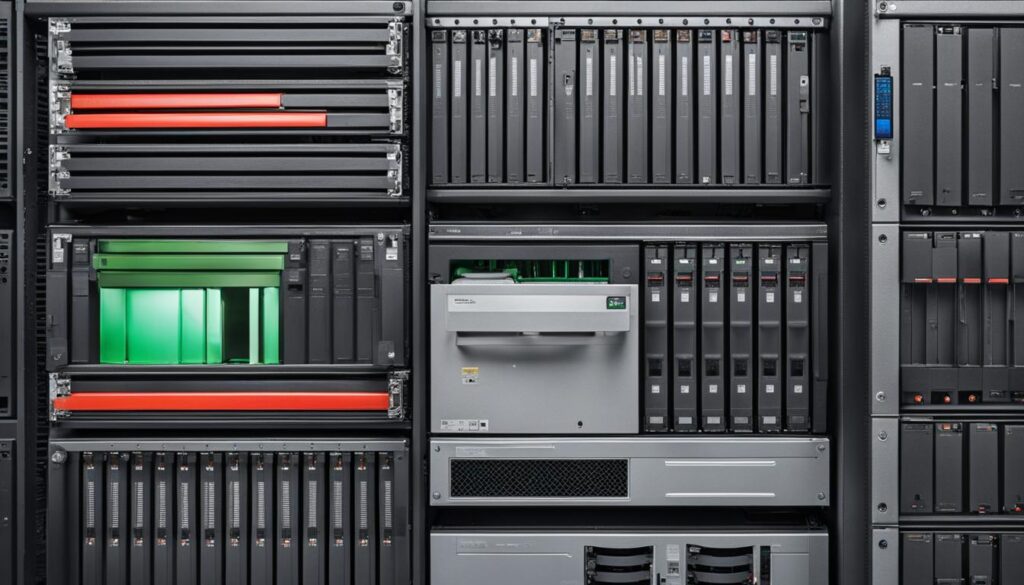
While on-site backup provides quick access to data, lower costs, and easier installation, it is important to address the security concerns associated with physical storage devices and the potential risk of physical damage.
Pros and Cons of Off-Site Backup
Off-site backup offers several advantages and disadvantages that organizations should consider when devising their backup strategy. Let’s explore the benefits and drawbacks of off-site backup:
Advantages of Off-Site Backup
- Multiple Copies of Data: Off-site backup allows for the creation of multiple copies of data at different locations. This redundancy ensures that even if one copy is compromised, the data can still be recovered from another location.
- Enhanced Security: Off-site backup solutions typically employ encryption techniques to secure the data during transmission and storage. This provides an extra layer of protection, safeguarding sensitive information from unauthorized access.
- Scaling Capacity: Off-site backup solutions offer scalability, allowing organizations to accommodate extensive data volumes over time. As the organization’s data grows, the off-site infrastructure can be easily expanded to meet the increasing storage demands.
Disadvantages of Off-Site Backup
- Cost: One of the main disadvantages of off-site backup is the increased cost compared to on-site backup. Setting up and maintaining an off-site backup infrastructure involves additional expenses, including the cost of remote server storage and ongoing maintenance.
- Varying Data Restore Speed: The speed at which data can be restored from an off-site backup depends on the organization’s internet connection. Slower internet speeds can result in longer recovery times, potentially causing delays in critical data restoration.

Despite these disadvantages, off-site backup remains a robust solution for ensuring data protection and availability. By carefully weighing the advantages and disadvantages, organizations can make informed decisions that align with their specific needs and priorities.
In the next section, we will delve into the world of off-site servers and explore their role in backup strategies.

Exploring Off-Site Servers
When it comes to data backup, off-site servers play a crucial role in ensuring the security and availability of your valuable information. By storing backup data outside the primary location, off-site servers provide redundancy and protect against location-based disasters. Let’s delve deeper into the world of off-site servers and their advantages over cloud backups.
The Power of Physical Media Carriers
In off-site backup strategies, physical media carriers like HDDs (Hard Disk Drives) and CDs (Compact Discs) play a vital role. They act as the means of transporting and restoring backup data from the secondary site if the primary site is compromised. The use of physical media carriers adds an extra layer of reliability and ensures that data can be accessed even in situations where the primary infrastructure is inaccessible.
| Physical Media Carriers | Advantages | Disadvantages |
|---|---|---|
| HDDs (Hard Disk Drives) | Large storage capacity | Vulnerable to physical damage |
| CDs (Compact Discs) | Easy to transport and store | Can deteriorate over time |
Off-Site Backup vs. Cloud Backup: Understanding the Differences
While off-site backup is often associated with cloud backup, there are key differences between the two. Off-site backup focuses on storing backup data in secondary locations to enhance redundancy and protect against local disasters. Physical media carriers aid in the restoration process. On the other hand, cloud backup offers a comprehensive suite of services beyond just backup, such as file sharing, collaboration, and disaster recovery. Cloud backup emphasizes accessibility and convenience while leveraging the power of the cloud.
Off-site backup utilizes physical media carriers and prioritizes data redundancy, while cloud backup offers a wide range of services beyond backup, catering to various organizational needs — the choice ultimately depends on specific requirements.

By exploring off-site servers and understanding their advantages over cloud backups, organizations can make informed decisions when it comes to storing their backup data outside the primary location. It’s essential to weigh the benefits of physical media carriers, such as HDDs and CDs, against the convenience and breadth of services offered by cloud backup solutions.

| Off-Site Servers | Cloud Backups |
|---|---|
| Stores backup data outside primary location | Offers a wide range of services beyond backup |
| Relies on physical media carriers for restoration | Leverages the power of the cloud for accessibility |
| Provides redundancy and protects against location-based disasters | Emphasizes convenience and collaboration |
Benefits and Downsides of Online Remote Backup Services
When it comes to data protection and security, online remote backup services offer many advantages. However, like any solution, there are downsides that must be considered. In this section, we will explore the benefits and potential downsides of utilizing online remote backup services.
The Benefits of Online Remote Backup Services
Online remote backup services provide a convenient and efficient way to protect your valuable data. Here are some of the key benefits:
- Backup and Restore Speeds: With online remote backup services, your data can be backed up and restored quickly, depending on the speed of your internet connection. This ensures minimal downtime in the event of data loss.
- Backup Data Costs: By utilizing online remote backup services, you can reduce the costs associated with purchasing and maintaining physical storage devices. This can be particularly beneficial for organizations with extensive data volumes.
- Loss of Control: Online remote backup services eliminate the risk of physical damage or theft of your data. By storing your backups off-site, you maintain control over your data even if your local infrastructure is compromised.

The Downsides of Online Remote Backup Services
While online remote backup services offer numerous benefits, it’s essential to consider the potential downsides:
- Backup and Restore Speeds: The speed of your backup and restore process depends heavily on the speed and reliability of your internet connection. If you have a slow or unstable connection, it may impact the efficiency of your data backup and recovery.
- Backup Data Costs: Managing extensive data volumes can result in higher costs associated with online remote backup services. It’s crucial to carefully assess the pricing structures and storage options offered by different providers to ensure cost-effectiveness.
- Loss of Control: When relying on online remote backup services, there may be a perceived loss of control as you entrust your data to third-party providers. It’s important to choose a reputable and trustworthy provider that aligns with your data protection requirements.
Despite these downsides, selecting the right provider and planning your backup strategy can mitigate these concerns. By evaluating your specific needs and understanding the capabilities of different online remote backup services, you can make an informed decision that best suits your organization’s data protection needs.
Creating a Backup Server
In order to ensure the safety and accessibility of your data, it is essential to set up a backup server. Depending on your specific needs and requirements, you can choose between an on-site server or an off-site server.
On-Site Server
An on-site server involves the use of physical storage devices, such as HDDs (Hard Disk Drives), that are located within your premises. The advantage of an on-site server is that it provides quicker access to your data, as there is no reliance on an internet connection. This makes it an ideal option for businesses that require immediate access to their backup data.
However, it is important to consider the disadvantages of an on-site server. Physical storage devices are susceptible to physical damage and theft. In the event of a disaster, such as a fire or flooding, your data could be permanently lost. Additionally, maintaining the security of your on-site server is crucial to prevent unauthorized access to your sensitive data.
Off-Site Server
In contrast, an off-site server involves the use of remote servers that are located outside of your physical premises. These servers can be accessed from any location, providing convenience and flexibility. By storing your backup data on off-site servers, you can protect against physical damage or loss that may occur at your primary location.
However, it is important to note that off-site servers require a stable internet connection for data transfer. Depending on the speed of your internet connection, the backup and restore process may take longer compared to an on-site server. Additionally, off-site servers may involve additional costs, such as monthly subscription fees, depending on the service provider you choose.
| On-Site Server | Off-Site Server |
|---|---|
| Quicker access to data | Accessibility from any location |
| Lower reliance on internet connection | Protection against physical damage |
| Increased vulnerability to physical damage and theft | Potentially slower backup and restore speeds |
To set up a backup server, proper installation and configuration are essential. It is recommended to consult with IT professionals or utilize the services of a reputable backup software provider to ensure the optimal performance and security of your backup server.
Cloud Backup Servers vs. Remote Backup Servers
When it comes to ensuring the safety and availability of your data, both cloud backup servers and remote backup servers offer valuable solutions. While they share the common goal of protecting your data, there are key differences between the two.
Cloud backup servers rely on a network of multiple servers located in different geographical locations. This redundancy provides added security and allows for data restoration from various locations if one server fails or becomes unavailable. The distributed nature of cloud backup servers ensures that your data is always accessible, even in the event of a localized disaster.
On the other hand, remote backup servers store copies of your data in secondary locations. These off-site backup copies act as a safeguard against data loss or damage to the primary location. By storing backups in multiple storage locations, remote backup servers provide an extra layer of protection for your critical data.
It’s important to note that cloud backup servers primarily focus on providing services related to critical data. These services may include advanced security measures, rapid data recovery, and seamless integration with other cloud-based applications. In contrast, remote backup servers primarily focus on providing secure storage for your backups.
Both cloud backup servers and remote backup servers offer advantages and disadvantages. The choice between the two depends on factors such as your specific data protection needs, budget considerations, and the level of control you require over your backup infrastructure.
Now that we’ve explored the differences between cloud backup servers and remote backup servers, let’s take a closer look at the pros and cons of each option to help you make an informed decision.
| Cloud Backup Servers | Remote Backup Servers |
|---|---|
| Advantages | Advantages |
|
|
| Disadvantages | Disadvantages |
|
|
As you can see, both options have their own set of advantages and disadvantages. Cloud backup servers offer redundancy and advanced features but may come with higher costs and potential loss of control. Remote backup servers provide added protection for critical data but might be slower in terms of data restore speed and incur additional costs for off-site storage.
Ultimately, the choice between cloud backup servers and remote backup servers depends on your specific business needs and priorities. It’s essential to evaluate your data protection requirements, weigh the pros and cons, and choose the solution that best aligns with your organization’s goals.
Comparing Remote Backup Software Providers
When it comes to remote backup software providers, two names stand out: RBackup Remote Backup Software and NinjaOne server backup. These providers offer a range of features that cater to different needs and requirements, ensuring the security, scalability, and effectiveness of your backup solution.
RBackup Remote Backup Software
RBackup Remote Backup Software is a top choice for organizations looking for reliable remote backup solutions. Its features include:
- Automated backup: RBackup streamlines the backup process, allowing you to schedule automated backups, minimizing the risk of data loss.
- Encryption for security: With RBackup, your data is encrypted during transmission and storage, ensuring that it remains secure and protected.
- Scalability: RBackup offers flexible storage options, allowing your backup solution to grow alongside your business needs.
NinjaOne server backup
NinjaOne server backup is another popular choice among remote backup software providers. It offers a range of features that ensure the efficiency and reliability of your backups:
- Advanced security measures: NinjaOne employs robust encryption techniques to safeguard your data, protecting it from unauthorized access.
- Scalability for growing businesses: With NinjaOne, you can easily scale your backup solution to accommodate increasing data volumes as your business expands.
- Various storage options: NinjaOne offers multiple storage options, allowing you to choose the most suitable solution for your organization’s needs.
| Features | RBackup Remote Backup Software | NinjaOne server backup |
|---|---|---|
| Automated backup | ✓ | – |
| Encryption for security | ✓ | ✓ |
| Scalability | ✓ | ✓ |
| Advanced security measures | – | ✓ |
| Various storage options | – | ✓ |
When choosing between RBackup Remote Backup Software and NinjaOne server backup, consider the specific features that align with your organization’s requirements. Both providers offer secure and scalable solutions, but their unique offerings may make one more suitable for your backup needs than the other.
Conclusion
Protecting your valuable data is of utmost importance, and remote backup server software plays a crucial role in achieving this goal. By implementing an effective backup plan that combines on-site and off-site backup strategies, organizations can ensure the secure storage and protection of their data.
An understanding of the advantages and disadvantages of both on-site and off-site backup solutions is essential. On-site backup offers quicker access to data, lower costs, and easier installation, while off-site backup provides redundancy, enhanced security, and scalability.
Choosing the right remote backup software provider is key to a successful backup solution. Providers like RBackup Remote Backup Software and NinjaOne server backup offer a range of features, including automated backup, encryption for security, and scalability for growing businesses.
By making informed decisions and utilizing remote backup server software, organizations can safeguard their data, protect against potential threats, and ensure business continuity. Don’t compromise the security and integrity of your valuable data – invest in a reliable remote backup solution.
FAQ
What is remote backup server software?
Remote backup server software is a solution that allows organizations to securely store and protect their data by creating backup copies on servers located outside their primary site.
Why is remote backup server software important?
Remote backup server software is essential for small, medium, and enterprise organizations to protect their valuable data from threats like natural disasters, human error, and cyberattacks.
What is the 3-2-1 rule of backup?
The 3-2-1 rule of backup states that organizations should create three copies of their data, store them on different types of media, and keep one copy off-site to ensure data recoverability.
How do remote backup systems work?
Remote backup systems detect primary site failures, transfer control to remote servers, and ensure the recovery time is calculated for extensive logs. Committed data checks ensure that backups in remote storage are updated properly.
What is the difference between local and remote backup servers?
The primary difference is their location. Local backup servers are on-site, using devices like external hard disks, while remote backup servers are stored off-site, relying on reliable off-site server backup software, active servers, and a stable internet connection.
What are the advantages of on-site backup?
On-site backup offers quicker access to data without an active internet connection, lower costs with inexpensive external devices, and easier installation and management.
What are the disadvantages of on-site backup?
On-site backup has poorer security as physical storage devices can be vulnerable to theft and is liable to physical damage in the event of a disaster.
What are the advantages of off-site backup?
Off-site backup provides multiple copies of data at different locations, enhanced security through encryption, and scalability for extensive data volumes.
What are the disadvantages of off-site backup?
Off-site backup is more costly than on-site backup and restore time depends on internet connection speeds.
How do off-site servers protect data?
Off-site servers store backup data outside the primary location, providing redundancy and protecting against location-based disasters. Physical media carriers like HDDs and CDs enable data restoration from the secondary site if the primary site is compromised.
What are the benefits and downsides of online remote backup services?
Online remote backup services offer the convenience of remote access, enhanced security, and scalable storage options. However, they may have downsides related to backup and restore speeds depending on internet connection, potentially higher costs for managing extensive data volumes, and concerns about loss of control.
How can a backup server be created?
A backup server can be created either on-site using devices like HDDs or off-site through remote servers. Proper installation and configuration are required for both types of servers.
What is the difference between cloud backup servers and remote backup servers?
Cloud backup servers rely on multiple servers for redundancy, allowing data restoration from different locations. Remote backup servers store backup copies in secondary locations for protection. While cloud backup focuses on services related to critical data, remote backup focuses on providing storage for data.
How do I choose the right remote backup software provider?
When selecting a remote backup software provider, consider features like automated backup, encryption for security, scalability for growing businesses, and various storage options. Choosing the right provider depends on the specific needs and requirements of your organization.
Why is remote backup server software crucial for data security?
Remote backup server software is crucial for securing and protecting data. By understanding the basics of effective backup plans, the advantages of on-site and off-site backup, and the options provided by remote backup software providers, organizations can make informed decisions to safeguard their valuable data.
