
Welcome to our comprehensive guide on essential backup storage for travel photography. As passionate photographers ourselves, we understand the importance of protecting those precious travel memories. In this article, we will explore the best backup storage options available, ensuring that your travel photographs are secure and easily accessible wherever your adventures take you.
Whether you’re a professional photographer or an enthusiastic traveler capturing moments on your smartphone, having a reliable backup system is crucial. With the ever-present risk of data loss, due to theft, hardware failure, or accidents, backing up your photos should be a top priority in your photography workflow.
Our guide will begin by discussing portable drives for on-the-go backup, which are ideal for travel and in-the-field backups. We will then move on to external hard drives that provide larger storage capacity, perfect for photographers who capture a high volume of images. Additionally, we will explore other backup solutions such as cloud backups, on-site backups, and backup software.
By the end of this guide, you will have all the information you need to select the best backup storage solution for your travel photography needs. Whether you’re looking for portable options, secure cloud storage, or reliable on-site backups, we’ve got you covered.
Key Takeaways:
- Protect your travel photos with essential backup storage options.
- Consider portable drives for on-the-go backup convenience.
- Explore external hard drives for larger storage capacity.
- Take advantage of cloud backup solutions for remote access.
- Utilize on-site backup solutions for added security.
Best Portable Drives for Travel Photography
When it comes to travel photography, having a reliable and portable backup solution is essential. That’s where portable drives come in handy. These compact and bus-powered drives allow photographers to backup their precious photos on the go, without the need for a separate power supply.
Here are some of the best portable drives that cater specifically to the needs of photographers:
| Portable Drive | Capacity | Speed | Durability |
|---|---|---|---|
| Crucial X9 Pro SSD | Up to 2TB | 1050MB/s read, 1000MB/s write | Drop-proof up to 7.5 feet |
| Samsung T7 Shield SSD | Up to 2TB | 1050MB/s read, 1000MB/s write | Shock-resistant and secure encryption |
| OWC Envoy Pro Elektron | Up to 2TB | 1011MB/s read, 985MB/s write | IP67-rated waterproof and dustproof |
| OWC Envoy Pro FX | Up to 2TB | 2800MB/s read, 1800MB/s write | MIL-STD810G-rated for durability |
As you can see, these portable drives offer different capacities, speeds, and durability features to suit the diverse needs of photographers. Whether you need a rugged and drop-proof drive or one that provides lightning-fast transfer speeds, there’s an option for everyone.

With these portable drives, you can travel with peace of mind, knowing that your photos are securely backed up and accessible whenever you need them.
Best External Hard Drives for Travel Photography
When it comes to travel photography, having sufficient storage capacity is crucial to ensure you can capture every moment without worrying about running out of space. That’s where external hard drives come in handy. They provide larger storage capacity than portable drives, allowing you to store a large number of photos securely. Here are some of the best external hard drives for travel photography:
- WD Elements Desktop
- Seagate Expansion Desktop
- Sandisk Professional G-DRIVE Enterprise-Class
These external hard drives offer various capacities and fast transfer speeds, making them ideal storage solutions for photographers. Let’s take a closer look at each option:
1. WD Elements Desktop
The WD Elements Desktop is known for its reliable performance and high storage capacity. It offers options ranging from 4TB to 14TB, ensuring you have ample space for all your travel photos. With fast data transfer speeds, you can quickly back up your files and access them whenever needed.
2. Seagate Expansion Desktop
The Seagate Expansion Desktop is another excellent choice for travel photographers. With its sleek design, this external hard drive is easy to carry and provides storage options from 4TB to 18TB. It offers fast file transfer speeds, allowing you to back up your photos efficiently and free up space on your camera or memory cards.
3. Sandisk Professional G-DRIVE Enterprise-Class
The Sandisk Professional G-DRIVE Enterprise-Class is specifically designed for photographers who require high-performance storage. With capacities ranging from 4TB to 16TB, this external hard drive offers fast transfer speeds and enhanced data protection features. It ensures your travel photos are safely stored and easily accessible whenever you need them.

By investing in one of these external hard drives, you can have peace of mind knowing that your travel photos are securely backed up and ready to be edited or shared. Make sure to choose a storage capacity that suits your needs and consider the transfer speeds to efficiently manage your workflow.

Now that we’ve covered the best external hard drives for travel photography, let’s move on to discussing various backup strategies in the next section.
Backup Strategies for Travel Photography
As photographers, we understand the value and significance of our travel photos. Whether it’s capturing breathtaking landscapes, vibrant cultures, or unforgettable moments, our photographs hold a piece of our memories. That’s why having a dependable backup strategy is essential to protect these valuable assets. In this section, we will explore effective backup strategies and best practices for travel photography.
The 3-2-1 Backup System
One widely recognized backup system is the 3-2-1 method. This straightforward approach ensures multiple copies of your photos are stored across different media and locations, providing an extra layer of protection against potential data loss. Here’s how it works:
- Create three copies: Make three separate copies of your travel photos. One copy will be stored on your primary device, such as a laptop or camera memory card.
- Store on two different media: Save another copy of your photos on two different types of storage media. This can include external hard drives, portable drives, or cloud storage.
- Keep one copy offsite: To safeguard your photos in case of physical damage or theft, keep one copy offsite. This could be in a separate location, at a friend’s or family member’s house, or utilizing cloud storage services.
This 3-2-1 backup strategy ensures redundancy, minimizing the risk of losing your precious travel photos.
Cloud Storage for Extra Security
In addition to the 3-2-1 backup system, cloud storage offers an additional layer of security for your travel photos. Cloud storage services like Dropbox, Google Drive, and Amazon S3 provide convenient and reliable offsite backups. By uploading your photos to the cloud, you can access them from anywhere with an internet connection, ensuring peace of mind even when you’re on the go.

When considering cloud storage for your travel photography backup, it’s important to choose a reputable provider that offers sufficient storage capacity and robust data protection measures.
On-Site Backups for Quick Access
While offsite backups are crucial for disaster recovery, on-site backups provide quick and easy access to your photos. On-site backup solutions include external hard drives, Network Attached Storage (NAS) systems, and RAID configurations. These options allow for faster data transfer rates and offer a convenient backup solution for photographers working in remote locations or without consistent internet access.
It’s important to regularly update and verify your on-site backups to ensure their reliability and prevent data loss.
Cloud Backup Solutions for Travel Photography
When it comes to protecting your precious travel photos, cloud backup solutions offer the perfect combination of convenience and security. With the ability to store and access your images from anywhere, cloud storage ensures that your memories are safe and easily retrievable. In this section, we will explore some popular cloud backup options specifically designed for travel photographers.

Backup.Country
One cloud backup solution worth considering is Backup.Country. They offer various backup storage plans tailored to meet the specific needs of photographers. With remote cloud backup, you can rest assured that your travel photos are protected, even if something happens to your physical storage devices. Backup.Country provides a user-friendly interface and robust security features, ensuring that your images are kept safe from unauthorized access.
Other Cloud Storage Providers
In addition to Backup.Country, there are several well-known cloud storage providers that offer reliable solutions for travel photographers. These include Dropbox, Google Drive, and Amazon S3. Each of these providers offers different storage capacities and features, allowing you to choose the option that best suits your needs. Whether you prefer the seamless integration of Dropbox, the versatility of Google Drive, or the scalability of Amazon S3, there is a cloud backup solution that fits your requirements.
| Cloud Storage Provider | Storage Capacity | Features |
|---|---|---|
| Backup.Country | Options vary | Robust security, user-friendly interface |
| Dropbox | 2TB (basic plan) | File sharing, collaboration |
| Google Drive | 15GB (free plan) | Integration with Google apps, document collaboration |
| Amazon S3 | Scalable storage options | Designed for developers, flexible pricing |

When choosing a cloud backup solution for your travel photography, consider factors such as storage capacity, security measures, and pricing. Take advantage of free trials or tiered pricing plans to ensure the service aligns with your specific needs.
“Cloud backup solutions provide photographers with peace of mind, knowing that their travel photos are securely stored and accessible at any time. Whether you choose a specialized service like Backup.Country or opt for well-known providers like Dropbox or Google Drive, cloud storage is an essential component of a robust backup strategy.”
In the next section, we will explore on-site backup solutions that offer additional security and redundancy for your travel photos.
On-Site Backup Solutions for Travel Photography
In addition to portable drives and cloud storage, on-site backup solutions provide photographers with physical hardware options to ensure the protection of their travel photos. These solutions offer added security, redundancy, and easy access to your backed-up files. Let’s explore two popular on-site backup solutions: Network Attached Storage (NAS) systems and external hard drives with RAID capabilities.
Network Attached Storage (NAS) Systems
A Network Attached Storage (NAS) system is a dedicated device that connects to your home or office network, allowing multiple users to access and back up files simultaneously. It offers a centralized storage solution for your travel photography, creating a secure and accessible repository for all your files.
One of the key advantages of using a NAS system for on-site backup is its ability to provide data redundancy through RAID (Redundant Array of Independent Disks) configurations. RAID combines multiple hard drives to create a single logical volume that can withstand the failure of one or more drives without losing any data.
NAS systems also offer additional features like data encryption, remote access, and the ability to expand storage capacity as your needs grow. This makes them an attractive option for photographers who require a robust and scalable on-site backup solution.
External Hard Drives with RAID Capabilities
External hard drives with RAID capabilities provide an alternative on-site backup solution for travel photographers. These drives combine the convenience of portable storage with the added security of RAID technology.

RAID-enabled external hard drives are available in different configurations, including RAID 0, RAID 1, and RAID 5. RAID 0 provides maximum storage capacity and faster transfer speeds but offers no redundancy. RAID 1 mirrors data across two drives, ensuring data redundancy but reducing overall storage capacity. RAID 5 offers a balance between storage capacity, redundancy, and performance.
These external hard drives are designed to withstand travel conditions, with ruggedized casings and shock-resistant features. They provide photographers with peace of mind, knowing that their photos are protected from drive failures and accidental damage.
On-site backup solutions like NAS systems and external hard drives with RAID capabilities give photographers full control over their backups and the peace of mind that their precious travel photos are protected. With the added security and redundancy provided by these solutions, you can focus on capturing breathtaking moments, knowing that your photos are safe and readily accessible.
Backup Software for Travel Photography
When it comes to protecting your precious travel photography, backup software is an essential tool in ensuring that your photos are regularly and securely backed up. With the right backup software, you can automate the entire backup process, saving you time and giving you peace of mind.
There are various backup software options available to photographers, each offering unique features and benefits. Whether you’re a professional photographer or an enthusiast capturing unforgettable moments, finding the right backup software can make a significant difference in safeguarding your images.
Backup.Country
One reliable option for backup software is Backup.Country. This software not only provides backup storage plans but also includes user-friendly backup software. With Backup.Country, you can easily automate your backup workflows, ensuring that your travel photos are protected without any hassle.

The intuitive interface of Backup.Country allows you to schedule regular backups, select specific folders or files to back up, and even customize backup settings according to your preferences. This software offers seamless integration with various devices and operating systems, making it a versatile option for photographers.
Here’s a closer look at the features of Backup.Country:
| Features | Benefits |
|---|---|
| Automated backups | Saves time and ensures consistent backups |
| Flexible backup options | Allows customization based on specific needs |
| Secure encryption | Protects your photos from unauthorized access |
| Compatibility | Works seamlessly across various devices |
With Backup.Country, you can focus on your travel photography adventures, knowing that your valuable images are backed up and secure.
“Backup software is a game-changer for photographers. It takes away the stress of manually backing up photos and ensures that our precious memories are safe. With Backup.Country, I have peace of mind knowing that my travel photography is always protected.” – Sarah Adams, Professional Travel Photographer
Investing in reliable backup software is a wise decision for any photographer. It provides an extra layer of protection for your travel photos and removes the risk of losing precious memories due to unforeseen circumstances.
Remember, backup software like Backup.Country is just one piece of the puzzle. It’s essential to have a comprehensive backup strategy in place, including offsite backups and redundant storage options. By combining backup software with other backup solutions, you can create a robust and reliable backup system for your travel photography.
Tips for Efficient Travel Photography Backup
When it comes to travel photography, having an efficient backup workflow is crucial to safeguarding your precious memories. Here are some practical tips and suggestions to optimize your travel photography backup process and ensure the security of your photos.
1. Organize Your Files
Start by organizing your files in a systematic way. Use a clear and consistent folder structure that makes it easy to locate and manage your photos. Consider organizing your files by location, date, or subject matter. This will save you time and effort when backing up and retrieving your images.
2. Use File Naming Conventions
Implement a file naming convention that helps you identify and categorize your photos. Include relevant details such as the date, location, and subject of the image. This will make it easier to search for specific photos and maintain a well-organized backup system.
3. Set Up Automated Backups
Take advantage of automated backup solutions to ensure that your photos are consistently backed up without manual intervention. Utilize backup software or cloud storage services that offer automatic syncing or scheduled backups. This will provide you with peace of mind knowing that your photos are protected without any extra effort on your part.
4. Create Backup Schedules
Establish a regular backup schedule to ensure that your photos are continuously backed up. Determine how often you want to back up your files based on the volume of photos you capture and their importance. Set reminders or use backup software to prompt you to perform regular backups according to your chosen schedule.
5. Rotate Storage Media
Consider rotating your storage media to minimize the risk of data loss. Use multiple backup devices, such as external hard drives or portable drives, and alternate between them for each backup session. This provides an extra layer of protection in case one device fails or gets damaged.
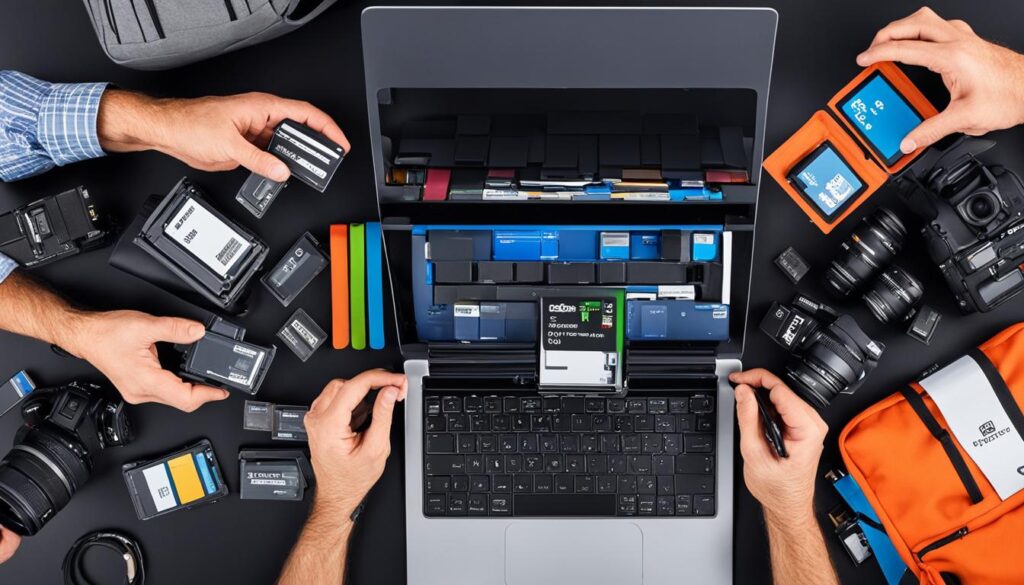
Efficient travel photography backup requires careful organization, automated workflows, and reliable backup practices. By implementing these tips, you can ensure that your photos will always be safe and accessible, even when you’re on the go.
Considerations When Choosing Backup Storage for Travel Photography
When selecting backup storage for travel photography, it’s important to consider several factors to ensure you choose the right solution that meets your specific needs. These factors include:
Storage Capacity
The amount of storage capacity you require will depend on the volume of photos you capture during your travels. Consider the size of your travel photography library and anticipate future growth. Opt for backup storage that offers ample space to accommodate your images.
Speed
The speed at which you can transfer files to and from your backup storage is crucial, especially when working with large image files. Look for backup storage options that offer fast transfer speeds, such as solid-state drives (SSDs) or drives with USB 3.0 or Thunderbolt connectivity.
Durability
Travel photography often involves adverse conditions, such as extreme temperatures, moisture, or physical impacts. Therefore, it’s important to choose backup storage that is rugged and built to withstand these challenges. Look for drives with shock-resistant features and durable enclosures that can protect your valuable data.
Backup Features
Consider the backup features offered by the storage solution. Look for options that provide automated backup software or built-in backup features to simplify the process and ensure regular backups without manual intervention.
Compatibility
Ensure that the backup storage you choose is compatible with your existing devices and equipment. Check if the drive supports your operating system and if any additional adapters or converters are required for connection.
Brand Reputation
Consider the reputation and reliability of the brand when choosing backup storage. Opt for well-known and trusted brands in the industry to ensure quality and customer support.
It’s crucial to consider these factors when selecting backup storage for your travel photography. By evaluating storage capacity, speed, durability, backup features, compatibility, and brand reputation, you can make an informed decision and ensure that your precious memories are protected.
Next, we will explore various backup strategies and solutions specifically tailored for travel photography.
Importance of Backup Storage for Travel Photography
When it comes to travel photography, the memories we capture are invaluable. Whether it’s breathtaking landscapes, vibrant cityscapes, or intimate portraits, every photo tells a story of our adventures. That’s why it’s crucial to prioritize the protection of these precious moments with reliable backup storage.
Traveling exposes our photography gear to various risks such as loss, theft, damage, or accidental deletion. Without a robust backup system in place, we run the risk of losing not just individual photos, but entire collections of memories. The consequences of such loss are immeasurable and deeply regrettable.
Imagine spending hours exploring magnificent destinations, perfecting composition and lighting, and capturing once-in-a-lifetime shots, only to have them vanish in an instant due to a technical malfunction or an unforeseen event. It’s a nightmare scenario that no photographer wants to experience.
Protecting our valuable travel photos requires more than just a single copy saved on a device. A solid backup strategy ensures that we have multiple copies of our photos, stored on different types of storage media, and kept in separate physical locations. This way, even if one copy is compromised, we have backups to fall back on.
Real-life scenarios of lost or damaged photos are all too common among photographers. Just ask the countless individuals who have had their devices stolen, suffered hard drive failures, or accidentally deleted their files. These unfortunate incidents serve as a stark reminder of the need for a reliable and secure backup system.
We traveled to the stunning beaches of Fiji and captured breathtaking underwater shots of vibrant coral reefs and fascinating marine life. But upon returning home, our hard drive failed, and we lost every single photo. It was a devastating loss that could have been prevented with proper backup storage.
By investing in backup storage solutions designed specifically for travel photography, we can safeguard our memories and ensure that they are protected from unforeseen circumstances. Whether it’s using portable drives for on-the-go backup, external hard drives for larger storage capacity, or cloud backup solutions for remote accessibility, there are options available to suit every photographer’s needs.
With the right backup storage in place, we can have peace of mind knowing that our travel photos are safe and secure, ready to be cherished for years to come. Don’t let your precious memories be lost forever – prioritize backup storage and protect the valuable moments you’ve captured.
Risks of Not Having Backup Storage for Travel Photography
| Risks | Consequences |
|---|---|
| Loss of camera or memory cards | Irretrievable loss of all photos taken |
| Device theft or damage | Complete loss of all photos stored on the device |
| Accidental deletion or formatting | Permanent loss of photos without any chance of recovery |
| Hardware failure | Potential loss of all data stored on the device |
| Natural disasters | Complete destruction of physical storage media |
Conclusion
In conclusion, backup storage is crucial for travel photography to safeguard valuable memories and ensure peace of mind. There are several viable options available for photographers to consider.
Portable drives provide a convenient solution for on-the-go backup. Options like the Crucial X9 Pro SSD, the Samsung T7 Shield SSD, the OWC Envoy Pro Elektron, and the OWC Envoy Pro FX offer different capacities, speeds, and durability features to meet photographers’ needs.
For larger storage capacity, external hard drives like the WD Elements Desktop, the Seagate Expansion Desktop, and the Sandisk Professional G-DRIVE Enterprise-Class are excellent choices. These drives come in various capacities and offer fast transfer speeds for photographers who need to store a large number of photos.
In addition to portable drives and external hard drives, photographers can also consider cloud storage and on-site backup solutions. Cloud backup services like Backup.Country, Dropbox, Google Drive, and Amazon S3 offer secure remote storage and easy access to photos from anywhere. On-site backup options like Network Attached Storage (NAS) systems and external hard drives with RAID capabilities provide additional security and redundancy.
By carefully considering their specific needs and requirements, photographers can select the best backup storage solution for their travel photography workflow. Regardless of the chosen method, having a reliable backup system in place ensures that valuable travel photos are protected and can be cherished for years to come.
FAQ
What is the best backup storage for travel photography?
The best backup storage for travel photography depends on your specific needs and requirements. Portable drives like the Crucial X9 Pro SSD, Samsung T7 Shield SSD, OWC Envoy Pro Elektron, and OWC Envoy Pro FX are ideal for on-the-go backup. For larger storage capacity, external hard drives such as the WD Elements Desktop, Seagate Expansion Desktop, and Sandisk Professional G-DRIVE Enterprise-Class are great options. Cloud storage solutions, on-site backups, and backup software also offer viable options for photographers.
How do I create a backup strategy for my travel photography?
Creating a backup strategy involves following the industry-standard 3-2-1 backup system. This means creating three copies of your photos, storing them on two different types of media, and keeping one copy offsite. Other backup methods include using cloud storage, on-site backups with NAS systems or external hard drives with RAID capabilities, and utilizing backup software to automate the backup process.
What are some popular cloud backup solutions for travel photography?
Popular cloud backup solutions for travel photography include Backup.Country, which offers various backup storage plans for remote cloud backup. Other options include Dropbox, Google Drive, and Amazon S3, which provide different storage capacities and features to meet the needs of photographers.
What are on-site backup solutions for travel photography?
On-site backup solutions for travel photography include using Network Attached Storage (NAS) systems and external hard drives with RAID capabilities. These options provide additional security and redundancy to ensure your photos are protected.
What backup software can I use for my travel photography backup?
There are various backup software options available for photographers to automate their backup workflows. Some backup software is included with backup storage plans like Backup.Country. Other popular backup software options include Acronis True Image, Carbon Copy Cloner, and Backblaze.
How can I optimize my travel photography backup workflow?
To optimize your travel photography backup workflow, consider organizing your files, using file naming conventions, setting up automated backups, and creating backup schedules. These tips will help streamline the backup process and ensure that your photos are always protected.
What factors should I consider when choosing backup storage for travel photography?
When choosing backup storage for travel photography, consider factors such as storage capacity, speed, durability, backup features, compatibility, and brand reputation. By considering these factors, you can make an informed decision and select backup storage that meets your specific needs.
Why is backup storage important for travel photography?
Backup storage is essential for travel photography because it protects valuable memories and ensures peace of mind. Without a reliable backup system in place, you risk losing your precious travel photos due to data loss, theft, or damage to your devices. Having a backup strategy ensures that your photos are safe and can be recovered in case of any unforeseen events.
