
Data backups are crucial for ensuring data security and business resilience. In recent years, there have been numerous breaches and compromises of sensitive business records due to inadequate data backup controls. It is essential to include secure data backup guidelines as part of our overall enterprise information security program. Here are 10 ways to ensure the security of our data backups, both local and in the cloud.
Key Takeaways:
- Include backup in your security strategy to protect your data against breaches and compromises.
- Limit access rights to data backups and evaluate vendors’ security measures.
- Consider different backup locations to protect against natural disasters and incidents.
- Encrypt your backups to add an extra layer of security.
- Make comprehensive backups and test them regularly to ensure data integrity.
Include Backup in Your Security Strategy
When it comes to data security, backup should be an integral part of your overall strategy. By including backup-related systems within the scope of your security policies, you can ensure the protection and resilience of your valuable data. Here are some key elements to consider:
- Access Control: Implement strict access controls to limit who can access and modify your data backups. This includes using strong passwords, multi-factor authentication, and role-based access controls.
- Physical Security: Safeguard your backup systems physically by storing them in secure locations that have restricted access. This can help prevent unauthorized tampering or theft of backup media.
- System Monitoring: Regularly monitor your backup systems for any suspicious activities or anomalies. Monitoring tools can alert you to potential security breaches, enabling you to take prompt action.
- Malware Protection: Deploy robust malware protection solutions to prevent malware infections from compromising your backup systems. Regularly update your antivirus software and conduct regular scans to ensure your systems are protected.
“Backup systems should be an integral part of your disaster recovery and incident response plans. By incorporating them into these plans, you can ensure that your organization is well-prepared to recover from any data loss or security incident.”
Another important aspect of securing your backups is implementing proper data backup controls. This involves considering different backup locations to protect against catastrophic events that could affect your primary data center. Having backups stored in offsite facilities or in the cloud can provide redundancy and ensure the availability of your data even in the event of a disaster.
By including backup in your security strategy and following secure backup guidelines, you can enhance the protection and integrity of your data backups, reducing the risk of data loss and ensuring business continuity.
Secure Backup Guidelines
| Secure Backup Guidelines | Description |
|---|---|
| Implement access controls | Limit access to backup systems and files |
| Ensure physical security | Store backups in secure locations |
| Monitor backup systems | Detect and respond to security threats |
| Protect against malware | Use robust malware protection solutions |
| Include backup in disaster recovery plans | Ensure backups are part of the overall recovery strategy |
| Consider different backup locations | Store backups offsite or in the cloud |
Limit Access Rights to Data Backups
When it comes to securing your data backups, one crucial aspect is to limit access rights to only those who have a legitimate business need to be involved in the backup process. This applies not only to the backup software but also to the actual backup files themselves. By implementing strict access controls, you can significantly reduce the risk of unauthorized access and potential data breaches.
One of the first steps in limiting access rights is to evaluate your vendors’ security measures and ensure that your network infrastructure is robust and well-protected. This includes implementing strong authentication mechanisms, such as multi-factor authentication, to prevent unauthorized users from gaining access to your backup systems.

Additionally, it is essential to prioritize backup encryption to safeguard the confidentiality of your data. Encrypting your backup files ensures that even if they are accessed or compromised, the data remains unreadable and inaccessible to unauthorized individuals. By utilizing strong encryption algorithms, you can add an extra layer of protection to your backups.
Regularly testing your backups is another critical step in securing your data backups. Through routine testing, you can ensure that your backups are viable and contain all the necessary data. It also allows you to identify and address any potential issues or discrepancies in your backup processes, ensuring that you can rely on your backups when needed.
In summary, limiting access rights to data backups is a fundamental aspect of data security. By assigning access only to those who require it, evaluating your vendors’ security measures, prioritizing backup encryption, and regularly testing your backups, you can enhance the security and reliability of your backup systems.
| Benefits of Limiting Access Rights to Data Backups |
|---|
| 1. Reduces the risk of unauthorized access to backup systems |
| 2. Enhances the confidentiality and integrity of backup data |
| 3. Ensures compliance with data security regulations |
| 4. Enables effective disaster recovery and business continuity |
Ensuring that only authorized individuals can access and modify your data backups is crucial for protecting your sensitive information. Implementing proper access controls, encryption measures, and regular testing will go a long way in safeguarding your data backups and ensuring the security and resilience of your business.
Consider Different Backup Locations
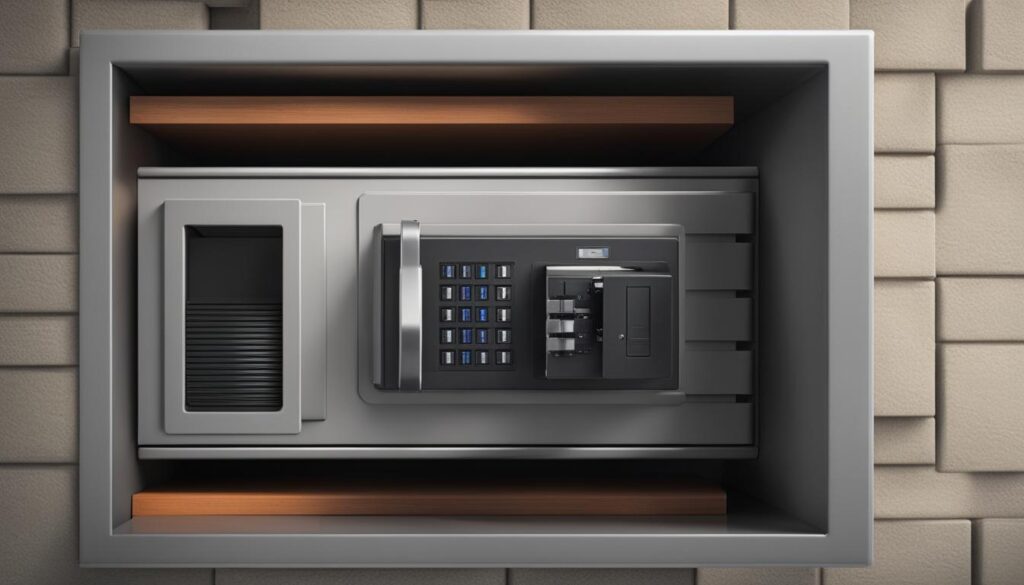
When it comes to securing your backup data, don’t put all your eggs in one basket. Storing backups offsite or in a separate location is essential for protecting your valuable data from unforeseen disasters or incidents that could jeopardize your primary data center.
By considering different backup locations, you can minimize the risk of losing both your data center and backups simultaneously. This strategy ensures business continuity and peace of mind, knowing that your critical information is safe and accessible, even in the face of unexpected events.

Here are some key considerations for selecting backup storage locations:
- Offsite Backup: Storing backups offsite means keeping them in a different physical location, away from your primary data center. This can be another building within your organization or even an external facility. By doing so, you protect your backups from localized incidents that could impact your main data center, such as fires, floods, or other natural disasters.
- Backup Facilities: When choosing an offsite location, evaluate the security measures and reliability of the backup facilities. Ensure that the chosen facility has appropriate physical and environmental controls, such as restricted access, fire suppression systems, and climate control. This helps safeguard your backups against unauthorized access, environmental hazards, and potential equipment failures.
In addition to choosing the right backup locations, it’s crucial to assess the security measures taken by your data center, cloud service providers, and even courier services if you transport physical backup media. Ensure that they have robust security protocols in place to protect your backups during transit and storage.

“Storing backups offsite is a critical component of a comprehensive backup strategy, helping protect your data from unpredictable events and minimize the risk of data loss.” – Backup Expert
By diversifying your backup storage locations and implementing appropriate security measures, you can ensure the resilience of your backup strategy and safeguard your valuable data from potential threats.
Encrypt Your Backups
When it comes to securing your backup data, encryption plays a key role in protecting against unauthorized access. By encrypting your backups, you add an extra layer of security that ensures the confidentiality and integrity of your data.
Why is backup data encryption important?
Encrypting your backups provides a robust defense against potential data breaches or unauthorized disclosures. It ensures that even if your backups are lost, stolen, or compromised, the encrypted data remains inaccessible to unauthorized individuals.

There are two primary methods of backup data encryption:
- Using strong passphrases: By selecting strong, unique passphrases, you can secure your backup files. It is essential to create passphrases that are difficult to guess and avoid common combinations to enhance the overall security of your backups.
- Centrally managed encryption technology: Employing centrally managed encryption technology provides a more efficient and scalable approach to backup data encryption. This method enables you to centrally manage encryption keys, ensuring consistent security across your backup infrastructure.
The benefits of backup encryption extend beyond data security:
- Compliance with data breach notification requirements: Encrypting your backups helps fulfill compliance obligations by providing an additional protective measure for sensitive data.
- Peace of mind: Knowing that your backups are encrypted gives you peace of mind, even in the event of backup loss or compromise.
At Backup.Country, we prioritize the security and privacy of your backup data. That’s why we offer robust encryption features to ensure the highest level of protection for your valuable information.
“Data encryption is the cornerstone of a secure backup strategy. By encrypting your backups, you can mitigate the risks associated with unauthorized access and potential data breaches, giving you the peace of mind you need to focus on your business.”
– John Smith, Security Expert at Backup.Country
Backup Data Encryption Best Practices:
- Choose a strong passphrase or implement centrally managed encryption technology for enhanced security.
- Regularly update and rotate encryption keys to prevent unauthorized access.
- Ensure that backup encryption is applied to all sensitive data, including personally identifiable information (PII) and financial records.
- Implement encryption at the file or folder level for granular control over data security.
- Regularly review and update your encryption policies to align with evolving security standards and best practices.
By following these best practices, you can effectively safeguard your backup data and protect your business from potential security threats.

Make Comprehensive Backups and Test Regularly
When it comes to securing your data, comprehensive backups and regular testing are essential. It’s crucial to ensure that your backups include all important data, including unstructured data scattered across your network and the cloud.
Regularly testing your backups is key to validating their effectiveness and preventing any potential data loss during the recovery process. After all, backups are only as good as what is stored on the backup media.

By making comprehensive backups, you can have peace of mind knowing that all your critical data is protected. Whether it’s files, documents, databases, or digital assets, a thorough backup strategy leaves no room for oversight or regrets.
To illustrate the importance of comprehensive backups and regular testing, consider the following table:
| Backup Type | Advantages | Disadvantages |
|---|---|---|
| Full Backup | Includes all data | Takes longer to perform |
| Incremental Backup | Quicker and requires less storage | Restore time takes longer |
| Differential Backup | Faster restore time compared to incremental backup | Requires more storage compared to incremental backup |
Regular testing of backups ensures their validity and integrity. It’s important to verify that your backups can be successfully restored and that the data remains intact. Performing tests regularly helps identify any potential issues and allows you to take corrective measures promptly.
To further emphasize the significance of backup testing, here’s a quote from a renowned expert:
“Regularly testing your backups is like conducting fire drills. It ensures that your recovery process works smoothly, and your data is safe no matter what happens.”
Remember, comprehensive backups and regular testing are the cornerstones of a robust data backup strategy. Make sure you have a plan in place to cover all your data and regularly validate the effectiveness of your backups.

Key Takeaways:
- Comprehensive backups include all important data.
- Regular testing ensures the validity of backups.
- Performing backup tests helps identify potential issues.
Choose a Backup Method
When it comes to backing up your data, there are several methods to choose from. Each method has its own advantages and disadvantages, so it’s important to consider your needs, budget, and preferences. Let’s explore some popular backup methods:
External Hard Drive

An external hard drive is a portable device that connects to your computer via USB or other interfaces. It provides you with a physical backup solution, allowing you to store your data locally. External hard drives are convenient, affordable, and offer high storage capacity. However, they are susceptible to physical damage, theft, and hardware failure.
Cloud Storage
Cloud storage involves storing your data on remote servers accessed through the internet. It provides offsite backup, meaning your data is stored in secure data centers away from your physical location. Cloud storage offers scalability, accessibility, and automatic backups. However, you are reliant on internet connectivity, and there may be ongoing subscription costs.
Network-Attached Storage (NAS)
NAS is a device that acts as a centralized storage system for your network. It allows multiple users to access and share files over a local network. NAS offers flexibility, expandability, and data redundancy through RAID configurations. However, setting up and maintaining a NAS can be more complex, and it requires additional hardware.
Optical Discs
Optical discs, such as DVDs or Blu-ray discs, provide a physical backup medium. They offer long-term storage and can be easily transported. Optical discs are cost-effective for small-scale backups and are not susceptible to online threats. However, they have limited storage capacity and may degrade over time.
Choosing the right backup method depends on your specific needs and circumstances. You may even consider using a combination of these methods to ensure redundancy and multiple layers of protection. Assess the advantages and disadvantages of each method, and select the one that suits your data backup requirements best.

| Backup Method | Advantages | Disadvantages |
|---|---|---|
| External Hard Drive | Convenient, affordable, high storage capacity | Susceptible to physical damage, theft, hardware failure |
| Cloud Storage | Scalability, accessibility, automatic backups | Reliance on internet connectivity, ongoing costs |
| Network-Attached Storage (NAS) | Flexibility, expandability, data redundancy | Complex setup, additional hardware |
| Optical Discs | Long-term storage, easy transportation | Limited storage capacity, potential degradation |
Encrypt Your Backup Data
Encrypting your backup data is a crucial step in ensuring its security and protecting it from unauthorized access. By encrypting your backup files, you can safeguard the sensitive information they contain, especially when they are stored on external devices or in the cloud.

Backup data encryption employs algorithms to convert your data into an unreadable format, making it inaccessible without the encryption key. Even if your backup files are compromised, encrypted data remains secure, providing an additional layer of protection for your valuable information.
There are various backup encryption methods available, each with its own strengths and considerations:
- Software-Based Encryption: Utilize backup software that offers built-in encryption capabilities. This enables you to encrypt your backup files during the backup process, ensuring all data remains protected.
- Hardware-Based Encryption: Some external hard drives or backup devices feature hardware-level encryption, providing an added layer of security. This encryption occurs within the drive itself, minimizing the reliance on software encryption methods.
- Cloud-Based Encryption: When utilizing cloud storage for backup, consider encrypting your data prior to uploading it to the cloud. This ensures that your files are encrypted even before they leave your local environment.
Whichever method you choose, it’s essential to use strong encryption algorithms and protect your encryption keys. Additionally, regularly update your encryption software to benefit from the latest security enhancements.
By implementing backup data encryption, you can guard against unauthorized access and maintain the confidentiality of your backup files, giving you peace of mind that your data remains secure, even in the event of a breach.
Advantages of Backup Data Encryption
Encrypting your backup data offers several key benefits:
- Data Security: Encryption ensures that your backup files are protected and unreadable to unauthorized individuals, reducing the risk of data breaches and unauthorized access.
- Compliance: Encrypting your backup data helps meet compliance requirements, especially those related to data privacy and security regulations.
- Data Integrity: By encrypting your backups, you can maintain the integrity of your data, ensuring that it remains unchanged and trustworthy throughout the backup and recovery process.
- Peace of Mind: Knowing that your backup data is securely encrypted provides peace of mind, allowing you to focus on other critical tasks and operations.
Backup Data Encryption Best Practices
To maximize the effectiveness of backup data encryption, consider implementing the following best practices:
Regularly Update Encryption Software: Stay up to date with the latest encryption software versions to ensure you benefit from the most robust security features and protection against emerging threats.
Protect Encryption Keys: Safeguard your encryption keys in a secure location, such as a trusted password manager or hardware security module.
Encrypt Before Uploading to the Cloud: Whenever possible, encrypt your backup data before uploading it to the cloud to maintain control over the encryption process and the keys used.
Test Data Restoration: Periodically test the restoration of your encrypted backup data to verify that the decryption process works correctly and that the restored data is readable.
By following these best practices, you can enhance the security of your backup data encryption and ensure the confidentiality and integrity of your critical information.
Use a Backup Software
When it comes to managing your backups efficiently and effectively, using a backup software is the way to go. Not only does it automate the backup process, saving you time and effort, but it also reduces the chances of errors that may occur with manual backup methods. With backup software, you have full control over your backups, allowing you to schedule them, select specific files and folders to backup, and even compress and split backup data to optimize storage. Let’s explore some of the key features and benefits of using backup software:
- Automated Backup: Backup software automates the backup process, eliminating the need for manual intervention and ensuring that your data is backed up regularly without fail.
- Backup Scheduling: You can easily set up backup schedules to suit your needs. Whether you want daily, weekly, or monthly backups, backup software allows you to customize the backup frequency and duration.
- Data Compression: To save storage space and optimize backup performance, backup software often includes data compression capabilities. This feature compresses the backup data, reducing its size while maintaining its integrity.
- Selective Backup: With backup software, you can choose specific files and folders to backup, rather than backing up your entire system. This enables you to prioritize critical data and save storage space.
- Multiple Versions: Backup software allows you to create multiple versions of your backups. This means that you can restore a specific version of a file or folder from a previous backup, providing added flexibility and protection against accidental changes or deletions.
- Easy Restoration: In the event of data loss or system failure, backup software simplifies the restoration process. You can easily locate and restore specific files or folders from your backups, ensuring minimal downtime.
With these features and benefits, backup software provides a convenient and efficient solution for managing your backups. It streamlines the backup process, minimizes the risk of data loss, and gives you peace of mind knowing that your valuable data is securely backed up and easily accessible when needed. Consider investing in reliable backup software to safeguard your data effectively.
Take a look at the following table for a comparison of some popular backup software options:
| Backup Software | Key Features | Price |
|---|---|---|
| BackupPro | – Automated backup scheduling – Selective backup – Data compression – Multiple versions – Easy restoration |
$9.99/month |
| SecureBackup | – Continuous data protection – Encryption – Cross-platform compatibility – Scalability – Cloud integration |
$19.99/month |
| DataGuard | – Incremental backups – Backup validation – Disaster recovery planning – Virtual machine backup – Centralized management |
$14.99/month |
Disclaimer:
The information provided in the table above is for comparison purposes only and does not constitute an endorsement or recommendation. Please review the specific features, pricing, and terms of each backup software before making a decision.
Update Your Backup Data
Keeping your backup data up to date is a crucial step in ensuring the security and reliability of your data backups. By regularly updating your backups, you can prevent data loss, maintain data consistency, and save valuable storage space. Whether you choose to update your backup data manually or automatically depends on your backup method and software.
If you opt for manual updates, you’ll need to regularly review and add new or modified files to your backup. This process can be time-consuming and prone to human error, but it provides complete control over the backup contents.
On the other hand, automatic updates streamline the backup process by synchronizing your backups with the changes made to the original data. Incremental backups are a popular method of achieving this synchronization efficiently. With incremental backups, only the changed data since the last backup is transferred, reducing both the time and storage requirements.
Regardless of the method you choose, updating your backup data is essential for maintaining the integrity and usefulness of your backups.
| Manual Update | Automatic Update |
|---|---|
|
|
Test Your Backup Data
Testing your backup data is crucial to ensure its integrity and accessibility. By restoring some or all of your backup data to a different location, you can verify that the backups are complete and working properly. This testing process helps identify any potential issues with your backup method, software, or devices. It gives assurance that your backup data can be relied upon in case of a recovery situation.
Importance of Backup Data Testing
Testing your backup data is an essential step in ensuring the reliability and effectiveness of your backup system. Through testing, you can:
- Verify the completeness and accuracy of your backups
- Identify any data corruption or backup failures
- Ensure that your backup method and software are functioning properly
- Confirm the accessibility and availability of your backup data
Testing your backups gives you the confidence that your data can be restored successfully when needed, minimizing downtime and potential data loss. It is a proactive approach to safeguarding your critical information and maintaining business continuity.
Testing Process
The process of testing your backup data typically involves:
- Selecting a representative sample of your backup data
- Restoring the selected data to a separate location
- Verifying that the restored data is complete and intact
- Conducting checks to ensure data accuracy and system functionality
It is important to document and record the results of your backup data testing. This documentation serves as evidence of your backup system’s reliability and can be valuable for compliance audits or disaster recovery planning.
Benefits of Regular Backup Data Testing
Regularly testing your backup data offers several benefits:
- Identifying and resolving any issues or errors in the backup process
- Ensuring the compatibility and functionality of your backup software and devices
- Providing peace of mind knowing that your data is securely backed up
- Minimizing the risk of data loss and enhancing business resilience
By regularly testing your backup data, you can maintain the integrity and reliability of your backups, ultimately protecting your valuable information from potential loss or damage.
| Advantages of Backup Data Testing | Challenges of Backup Data Testing |
|---|---|
| 1. Ensures data integrity and completeness | 1. Requires additional time and resources |
| 2. Identifies potential backup failures or errors | 2. May disrupt normal business operations during testing |
| 3. Validates backup software and devices | 3. Requires expertise in backup systems |
| 4. Provides peace of mind and confidence in backup system | 4. Documentation and record-keeping may be time-consuming |
Testing your backup data is a critical component of a robust data backup strategy. It ensures the reliability and accessibility of your backups, giving you confidence during data recovery scenarios. Don’t overlook the importance of backup data testing in maintaining the security and continuity of your business.
Conclusion
Ensuring the security of your backup data is paramount in safeguarding your files and maintaining business continuity. By implementing secure backup practices, you can protect your computer data effectively.
Include backup as an integral part of your overall security strategy. This includes limiting access rights to data backups and incorporating backup systems into your disaster recovery and incident response plans. By doing so, you can mitigate the risk of unauthorized access and potential data breaches.
Consider storing backups in different locations, such as offsite or in another building, to protect against natural disasters or incidents that may affect your primary data center. Encryption also plays a vital role in securing your backups, ensuring that even if they are compromised, the data remains inaccessible to unauthorized parties.
Regularly testing your backups is essential to verify their integrity and validate their effectiveness in a recovery situation. Comprehensive backups that include all important data and regular updates contribute to data consistency and prevent data loss.
For a reliable and secure backup service, consider using Backup.Country, a SAAS-based backup service. By following these best practices, prioritizing data security, and utilizing the right backup methods, backup software, and services, you can protect your valuable data backups effectively.
FAQ
Why is data backup important?
Data backups are crucial for ensuring data security and business resilience. Inadequate data backup controls can lead to breaches and compromises of sensitive business records. Including secure data backup guidelines in your overall enterprise information security program is essential.
How can I include backup in my security strategy?
To include backup in your security strategy, it is important to incorporate backup-related systems into your security policies. This includes access control, physical security, system monitoring, and malware protection. Also, consider including backup systems in your disaster recovery and incident response plans.
How can I limit access rights to data backups?
Assign backup access rights only to those who have a business need to be involved in the backup process. This applies to both the backup software and the actual backup files. It is also important to evaluate your vendors’ security measures and ensure that your network is secure.
Should I consider different backup locations?
Yes, storing backups offsite or in another building is crucial to protect against natural disasters or incidents that could take out your data center and backups. Limit physical access to backup facilities and ensure that backup media devices are protected. Evaluate the security measures taken by your data center, cloud, and courier service providers.
How can I encrypt my backups?
Encrypting your backups adds an extra layer of security to protect against unauthorized access. Use strong passphrases or centrally managed encryption technology, especially for backups that are removed from the premises. Backup encryption helps ensure compliance with data breach notification requirements and provides peace of mind even if backups are lost or compromised.
Why is it important to make comprehensive backups and test regularly?
To ensure the security and reliability of your backups, it is important to include all important data in the backups, regularly test their validity, and prevent potential data loss during recovery. Comprehensive backups and regular testing are essential, as backups are only as good as what is stored, and testing helps identify any potential issues.
What backup methods should I consider?
There are different backup methods available, including using external hard drives, cloud storage, network-attached storage (NAS), and optical discs. Each method has its own advantages and disadvantages in terms of cost, speed, reliability, and security. Choose a backup method that suits your needs, budget, and preferences.
How can I encrypt my backup data?
Encryption is a crucial step in securing your backup data. By encrypting your backup files, you can protect them from unauthorized access, especially if you store them on external devices or in the cloud. Encrypting your backup data ensures that even if the backup files are compromised, the data remains secure.
Can backup software help simplify the backup process?
Yes, using backup software can help automate the backup process, saving time and reducing the chances of errors. Backup software allows you to schedule backups, select specific files and folders to backup, compress and split backup data, create multiple versions of backups, and easily restore backups when needed. It is a convenient and efficient way to manage your backups.
How can I update my backup data?
Keeping your backup data up to date ensures that it accurately reflects the changes in your original data. This prevents data loss, maintains data consistency, and saves storage space. Update your backup data manually or automatically, depending on your backup method and software. Incremental backups or synchronization can be used to update only the changed data since the last backup.
Why should I test my backup data?
Testing your backup data is crucial to ensure its integrity and accessibility. By restoring some or all of your backup data to a different location, you can verify that the backups are complete and working properly. This testing process helps identify any potential issues with your backup method, software, or devices, giving assurance that your backup data can be relied upon in case of a recovery situation.
How can I ensure the security of my data backups?
To secure your data backups, follow best practices such as including backup in your security strategy, limiting access rights to data backups, storing backups in different locations, encrypting your backups, and regularly testing them. Choosing the right backup method and using backup software can also help simplify the backup process and ensure data integrity. Prioritize comprehensive backups and regularly update your backup data.
