
Your business deals with a lot of valuable information every day, and losing it can severely hurt your bottom line. That’s why having efficient database server backup solutions is crucial to ensure data protection and enable quick recovery in case of any mishaps.
In this article, we will explore various server backup software options that can help you safeguard your valuable data. We’ll delve into their features, advantages, and best use cases, empowering you to make an informed decision for your business.
With the right server backup software, you can rest assured that your data will remain accessible even when disaster strikes. Let’s dive into the details and discover the top solutions that can provide you with the peace of mind you need.
Key Takeaways:
- Choosing the right server backup software is essential for data protection and efficient disaster recovery.
- There are various options available in the market, each with its own strengths and limitations.
- Consider factors such as compatibility, ease of use, automation, and scalability when selecting a backup solution.
- Simple Backups, Duplicator, Synology DSM, Salesforce Data Backup and Recovery, SyncBackPro, HYCU Protégé, and Veeam Data Platform Premium are some of the top server backup software options to consider.
- Evaluate your business needs and prioritize data security to choose the solution that best fits your requirements.
Top Backup Server Software: Simple Backups
When it comes to server backup software, Simple Backups stands out as a top choice. With its user-friendly design and comprehensive features, it provides a complete solution for backing up websites and databases. Whether you run a small business or manage multiple websites, Simple Backups streamlines the backup process to ensure the safety of your valuable data.
One of the standout features of Simple Backups is its compatibility with various popular cloud storage services. This integration allows you to take advantage of the convenience of cloud-based backup services while ensuring secure data encryption. With Simple Backups, you no longer have to worry about the complexities of data storage and protection.
Furthermore, Simple Backups simplifies the backup process with its intuitive interface. Even for users without advanced technical skills, the software offers a seamless experience, making data backup accessible and hassle-free. By automating backups and providing easy restoration options, Simple Backups empowers you to protect your critical data.

Whether you’re a small business owner or a web developer, Simple Backups provides the peace of mind that comes with a reliable server backup software. With its cloud-based backup services and user-friendly design, it ensures the protection of your valuable information. Take advantage of Simple Backups to safeguard your data and focus on growing your business.
Specialized Solution for WordPress: Duplicator
When it comes to WordPress backup, the Duplicator plugin stands out as a specialized solution. With its range of tools, Duplicator makes it effortless to migrate, copy, move, or clone a WordPress site. It offers comprehensive backups of websites, including plugins, themes, and content, ensuring that your valuable data remains protected.
One of the key advantages of Duplicator is its simplicity and user-friendly interface. Even novice users can navigate through the process without any hassle. By providing a seamless WordPress backup experience, Duplicator empowers website owners to take control of their data and safeguard it effectively.
However, it’s important to note that Duplicator is limited to WordPress sites only. If you have other types of websites or platforms, you’ll need to explore alternative backup solutions. Additionally, Duplicator lacks automated backup scheduling, which means you’ll need to manually initiate backups as needed. While this may require some extra effort, the comprehensive backup capabilities of Duplicator make it a reliable choice for WordPress websites.
Key Features of Duplicator:
- Effortlessly migrate, copy, move, or clone a WordPress site
- Comprehensive backups of websites, including plugins, themes, and content
- User-friendly interface for easy navigation
Pros of Duplicator:
- Specialized solution tailored specifically for WordPress backup
- Provides comprehensive backups of WordPress websites
- Effortless migration, copying, moving, or cloning of sites
Cons of Duplicator:
- Limited to WordPress sites only
- Lacks automated backup scheduling
Overall, Duplicator is an excellent choice for WordPress website owners who prioritize efficient and comprehensive backup solutions. While it may not offer automated backup scheduling, its specialized tools and user-friendly interface make it a reliable option for keeping your WordPress site protected.

Robust System for Data Storage: Synology DSM
In today’s digital landscape, efficient data storage and backup systems are vital for businesses of all sizes. One such system that stands out is Synology DSM. Synology DSM offers a powerful and comprehensive solution for data storage and backup, catering to various needs and requirements.

With Synology DSM, businesses can enjoy seamless data management and protection. Its advanced features include:
- Flexible Storage Options: Synology DSM supports a wide range of storage options, including RAID configurations, SSD caching, and expandable storage capacity. This ensures that businesses can scale their data storage as their needs evolve.
- Multimedia Management: Synology DSM not only provides efficient data storage but also offers multimedia management capabilities. Businesses can store and organize their media files, including photos, videos, and music, in a centralized and easily accessible location.
- Extensibility and Third-Party Apps: Synology DSM can be extended with various Synology and third-party apps, allowing businesses to customize their backup system according to their specific requirements. This flexibility enables businesses to tailor the solution to their unique needs.
However, it’s worth noting that setting up Synology DSM may require specific hardware and technical expertise. Non-technical users may find the initial setup process complex and may need assistance from IT professionals. Despite this, once the system is up and running, businesses can enjoy a robust and reliable data storage and backup solution.
When considering data storage and backup options, Synology DSM should be a top contender. Its ability to accommodate various data storage needs, combined with multimedia management features and extensibility, makes it a versatile and powerful solution for businesses.

Comparison of Synology DSM with Other Data Storage and Backup Solutions
| Criteria | Synology DSM | Competitor A | Competitor B |
|---|---|---|---|
| Data Storage Options | Supports RAID configurations, SSD caching, and expandable storage capacity | Limited storage options | Limited storage options |
| Multimedia Management | Provides comprehensive multimedia management capabilities | Basic multimedia management features | Basic multimedia management features |
| Extensibility | Can be extended with various Synology and third-party apps | Limited extensibility | Limited extensibility |
| Setup Complexity | May require specific hardware and technical expertise | Straightforward setup process | Straightforward setup process |
| Overall Rating | 4.5/5 | 3/5 | 3.5/5 |
Data Backup and Recovery for Salesforce: Salesforce Data Backup and Recovery
When it comes to protecting your valuable Salesforce data, you need a reliable backup and recovery solution. Thankfully, Salesforce offers its own robust solution as part of its comprehensive service suite. With Salesforce Data Backup and Recovery, you can rest easy knowing that your critical business information is securely protected and readily available whenever you need it.
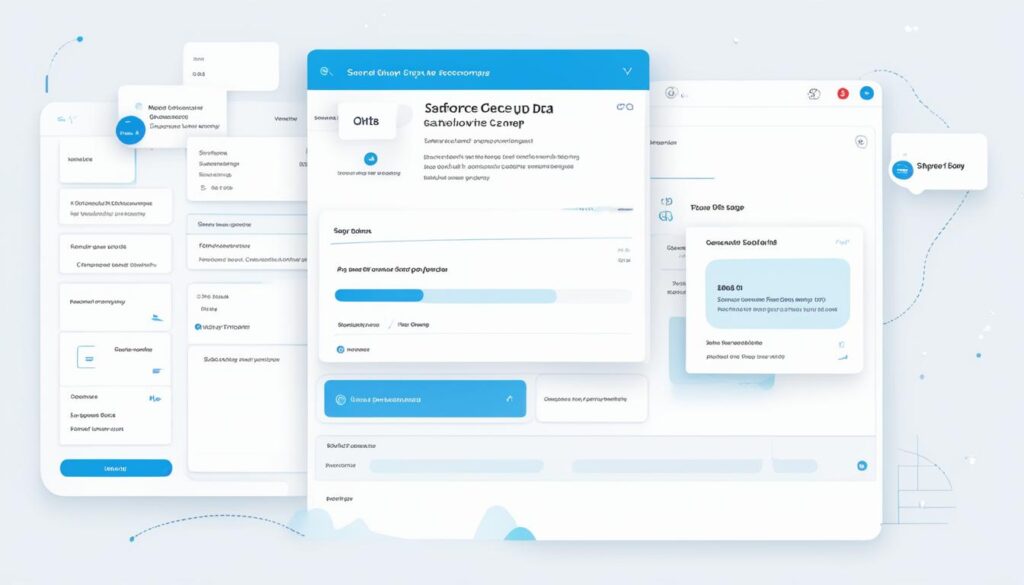
Salesforce Data Backup and Recovery is fully integrated with the Salesforce platform, ensuring seamless compatibility and efficient data backup and restoration processes. Whether you need to recover accidentally deleted data, roll back changes, or restore data after a system failure, this solution has got you covered.

One of the key advantages of Salesforce Data Backup and Recovery is its ease of use. The intuitive user interface allows for effortless backup scheduling and restoration processes, making it accessible for users of all levels of technical expertise. With just a few clicks, you can initiate a backup or restore operation, saving you valuable time and effort.
However, it’s important to note that Salesforce Data Backup and Recovery is specific to Salesforce data. While it excels in safeguarding your Salesforce information, it may not be suitable for backing up data from other platforms or applications. If your business relies on multiple systems, you may need to explore alternative backup and recovery options to ensure comprehensive data protection.
| Pros | Cons |
|---|---|
| Seamless integration with Salesforce platform | Limited to Salesforce data backup and recovery |
| User-friendly interface | Potentially time-consuming for data restoration |
| Efficient backup and restoration processes |
Overall, Salesforce Data Backup and Recovery provides a reliable and efficient solution for safeguarding your Salesforce data. By leveraging its seamless integration with the Salesforce platform, you can ensure that your critical business information is protected from unforeseen data loss events. Just keep in mind its limitations when it comes to backing up and restoring data from other platforms or applications.
Professional Backup, Restore, and Synchronization Tool: SyncBackPro
Welcome to Section 6, where we’ll explore SyncBackPro, a powerful backup, restore, and synchronization tool. SyncBackPro offers a comprehensive set of features designed to protect and manage your valuable data. Let’s dive in and see what this tool has to offer.

Feature-Rich Backup and Restore
SyncBackPro is equipped with robust backup and restore capabilities, ensuring the safety of your critical files. It allows you to create scheduled backups, ensuring that your data is protected without manual intervention. Whether you need to back up specific folders or entire drives, SyncBackPro provides the flexibility to customize your backup strategy.
With SyncBackPro’s file filtering feature, you can easily define criteria for including or excluding files based on attributes such as file type, size, and modification date. This allows you to create targeted backups, saving both time and storage space.
Versioning for Multiple File Versions

Versioning is a crucial aspect of data management, and SyncBackPro delivers in this area. It allows you to keep multiple versions of your files, ensuring that you can easily revert to a previous version in case of accidental changes or data corruption. This feature provides extra peace of mind, especially when working on critical documents or projects.
Synchronization for Seamless Data Updates
SyncBackPro also offers robust synchronization capabilities, allowing you to keep multiple devices or locations in sync. Whether you need to sync files between your computer and external drives, or between different network locations, SyncBackPro makes the process seamless. You can easily set up automated sync profiles, ensuring that your data is always up to date.
SyncBackPro provides a comprehensive set of features for efficient backup, restore, and synchronization. Its file filtering and versioning capabilities allow for targeted backups and easy retrieval of previous file versions. However, it’s important to note that SyncBackPro may be overwhelming for novice users due to its extensive feature set. Additionally, compared to other solutions, SyncBackPro may be more expensive. It’s important to evaluate your specific backup needs and budget before making a decision.
In the next section, we’ll explore HYCU Protégé, a comprehensive data protection solution for multi-cloud environments. Stay tuned!
Comprehensive Data Protection for Multi-Cloud Environments: HYCU Protégé
When it comes to multi-cloud data protection, HYCU Protégé stands out as a comprehensive solution, providing a unified view for backup, recovery, and migration. With its robust features and intuitive interface, HYCU Protégé offers peace of mind for businesses operating in complex and dynamic cloud environments.
One of the key advantages of HYCU Protégé is its ability to seamlessly protect data across multiple cloud platforms. Whether you’re utilizing Amazon Web Services (AWS), Microsoft Azure, or Google Cloud Platform, HYCU Protégé ensures consistent backup and recovery processes, allowing you to maintain the highest level of data integrity regardless of your cloud providers.

Handling large-scale data migrations can be a challenge, but HYCU Protégé simplifies the process with its efficient migration capabilities. By streamlining the transfer of data between cloud environments, HYCU Protégé minimizes downtime and maximizes productivity, ensuring a smooth transition without compromising data integrity.
In addition to its robust cloud protection features, HYCU Protégé offers advanced backup and recovery options. With automated backup scheduling and flexible recovery options, you can easily tailor the solution to meet your specific business needs. Whether you need to recover individual files or entire databases, HYCU Protégé provides the necessary tools for efficient and reliable data restoration.
“HYCU Protégé offers comprehensive data protection, backup, and recovery capabilities for multi-cloud environments. With its seamless integration with major cloud providers and efficient migration features, it ensures the security and accessibility of your data in any cloud setting.”
It’s important to note that leveraging HYCU Protégé to its maximum potential requires a robust network infrastructure. To ensure optimal performance, make sure your network can handle the bandwidth requirements of backing up and restoring data across multiple cloud platforms.
In conclusion, HYCU Protégé is a powerful solution for multi-cloud data protection, backup, and recovery. By providing a unified view for managing data across different cloud environments, HYCU Protégé empowers businesses to confidently embrace the benefits of multi-cloud strategies while ensuring the security and accessibility of their valuable data.
Comprehensive Suite of Data Backup and Recovery Tools: Veeam Data Platform Premium
When it comes to data backup and recovery, businesses need a comprehensive solution that offers reliability, security, and integration with popular cloud storage services. That’s where Veeam Data Platform Premium shines. With a suite of robust tools, Veeam provides the necessary features to safeguard your valuable data and ensure business continuity.
Veeam Data Platform Premium offers seamless integration with leading cloud storage providers, allowing you to securely store and manage your backups in the cloud. Whether you prefer Amazon S3, Microsoft Azure, or any other popular cloud storage service, Veeam has got you covered. This compatibility ensures that your data is easily accessible and protected, even in the event of an on-premises disaster.
One of the key strengths of Veeam Data Platform Premium is its flexibility. It supports various types of data backup, including virtual machine backups, file-level backups, and application-specific backups. This versatility enables you to tailor your backup strategy according to your specific requirements and ensure the protection of critical business data.
The ability to customize backup policies and schedules allows you to automate the backup process, ensuring that your data is continuously protected without unnecessary manual intervention.
While Veeam Data Platform Premium offers a comprehensive suite of tools, it may require some technical expertise to fully utilize its capabilities. Non-technical users might find the learning curve steep, requiring dedicated time and resources to become proficient. Additionally, some users have reported issues with customer support, emphasizing the importance of thorough evaluation and consideration before implementing Veeam Data Platform Premium.
Key Features of Veeam Data Platform Premium:
- Seamless integration with popular cloud storage services
- Flexible backup options for various data types
- Customizable backup policies and schedules
- Advanced data deduplication and compression for optimal storage efficiency

Embrace the power of Veeam Data Platform Premium to protect your valuable data and ensure business continuity. Whether you rely on virtual machines, files, or applications, Veeam’s comprehensive suite of backup and recovery tools has you covered, providing peace of mind in an uncertain digital landscape.
Conclusion
When it comes to ensuring data protection and disaster recovery, having the right server backup software is crucial. These solutions provide secure data storage, automated backups, and easy recovery options, giving you peace of mind and minimizing downtime in case of unforeseen events.
Whether you choose Simple Backups, Duplicator, Synology DSM, Salesforce Data Backup and Recovery, SyncBackPro, HYCU Protégé, or Veeam Data Platform Premium, it is important to prioritize data protection and select the solution that best fits your business needs.
Remember, a database server backup provides an extra layer of security, safeguarding your valuable information and minimizing the risk of data loss. Implementing a robust backup solution not only protects your business from potential disaster but also maintains your productivity and ensures your data remains accessible at all times.
Investing in the right backup solution is a proactive step towards data protection and disaster recovery. Don’t wait for an issue to arise; take action now to safeguard your valuable data and secure the future of your business.
FAQ
What is database server backup?
Database server backup refers to the process of creating copies of the data stored in a database server, ensuring its protection in case of data loss or system failure.
Why is database server backup necessary?
Database server backup is crucial for data protection and disaster recovery. It ensures that valuable and sensitive information is securely stored and can be retrieved in the event of accidents, hardware failures, or natural disasters.
What are the benefits of using server backup software?
Server backup software provides automated backups, making the backup process efficient and less prone to human error. It also offers secure data encryption, easy data restoration, and integration with cloud storage services for reliable and convenient data backup.
Can I use Simple Backups for my server backup needs?
Yes, Simple Backups is a user-friendly server backup software solution that offers a complete backup solution for websites and databases. It is compatible with popular cloud storage services and provides secure data encryption.
Is Duplicator suitable for backing up WordPress sites?
Yes, Duplicator is a specialized tool designed for migrating, copying, moving, or cloning WordPress sites. It offers comprehensive backups of websites, including plugins, themes, and content.
What are the limitations of Duplicator?
Duplicator is limited to WordPress sites and does not provide automated backup scheduling. It may not be ideal for non-WordPress sites or users who require frequent automated backups.
What is Synology DSM?
Synology DSM is a powerful backup system that caters to various data storage and backup needs. It offers multimedia management features and can be extended with various Synology and third-party apps.
Is Synology DSM suitable for non-technical users?
While Synology DSM offers advanced features, its initial setup may be complex for non-technical users. It is generally more suitable for users who are familiar with system configurations and network setups.
Does Salesforce provide data backup and recovery solutions?
Yes, Salesforce offers a robust backup and recovery solution as part of its service suite. It is fully integrated with the Salesforce platform and offers efficient data backup and restoration for Salesforce customer data.
Can Salesforce Data Backup and Recovery restore data quickly?
While Salesforce Data Backup and Recovery is efficient in backing up Salesforce data, the data restoration process may be time-consuming, especially for large volumes of data.
What does SyncBackPro offer?
SyncBackPro is a feature-rich backup, restore, and synchronization tool. It supports powerful file filtering for targeted backups and allows for versioning to keep multiple versions of a file.
Is SyncBackPro suitable for novice users?
SyncBackPro may be overwhelming for novice users due to its extensive features and functionalities. It is generally preferred by advanced or professional users who require more control over their backups and synchronization tasks.
What is HYCU Protégé?
HYCU Protégé is a comprehensive solution that provides multi-cloud data protection and a unified view for backup, recovery, and migration of data in complex, multi-cloud environments.
What infrastructure is required for using HYCU Protégé?
HYCU Protégé requires a robust network infrastructure for optimal performance. It is recommended for organizations with stable and high-bandwidth networks to ensure efficient data backup and recovery processes.
How does Veeam Data Platform Premium differ from other solutions?
Veeam Data Platform Premium offers a comprehensive suite of tools for data backup and recovery. It provides integration with popular cloud storage solutions and is designed for organizations with high data protection demands.
What are the potential challenges of using Veeam Data Platform Premium?
Some users have reported challenges with customer support when using Veeam Data Platform Premium. It may also have a steeper learning curve for non-technical users due to its advanced features and configurations.
How should I choose the right server backup software?
When choosing server backup software, it is crucial to prioritize data protection and select a solution that aligns with your business needs and technical capabilities. Evaluate factors such as security features, automation capabilities, ease of use, and compatibility with your existing infrastructure.
What are the benefits of using backup solutions?
Backup solutions provide secure data storage, automated backups, and easy data recovery options. They ensure that your valuable data is protected and can be restored quickly in case of unexpected events or system failures.
How can backup solutions help with disaster recovery?
Backup solutions create copies of your data and systems, allowing for quick restoration in the event of data loss or disasters. They minimize downtime, protect your business operations, and help you recover critical information efficiently.
